Bambu Lab P2S Review: Enclosed, Fast, and Honest About It

Bambu Lab P2S
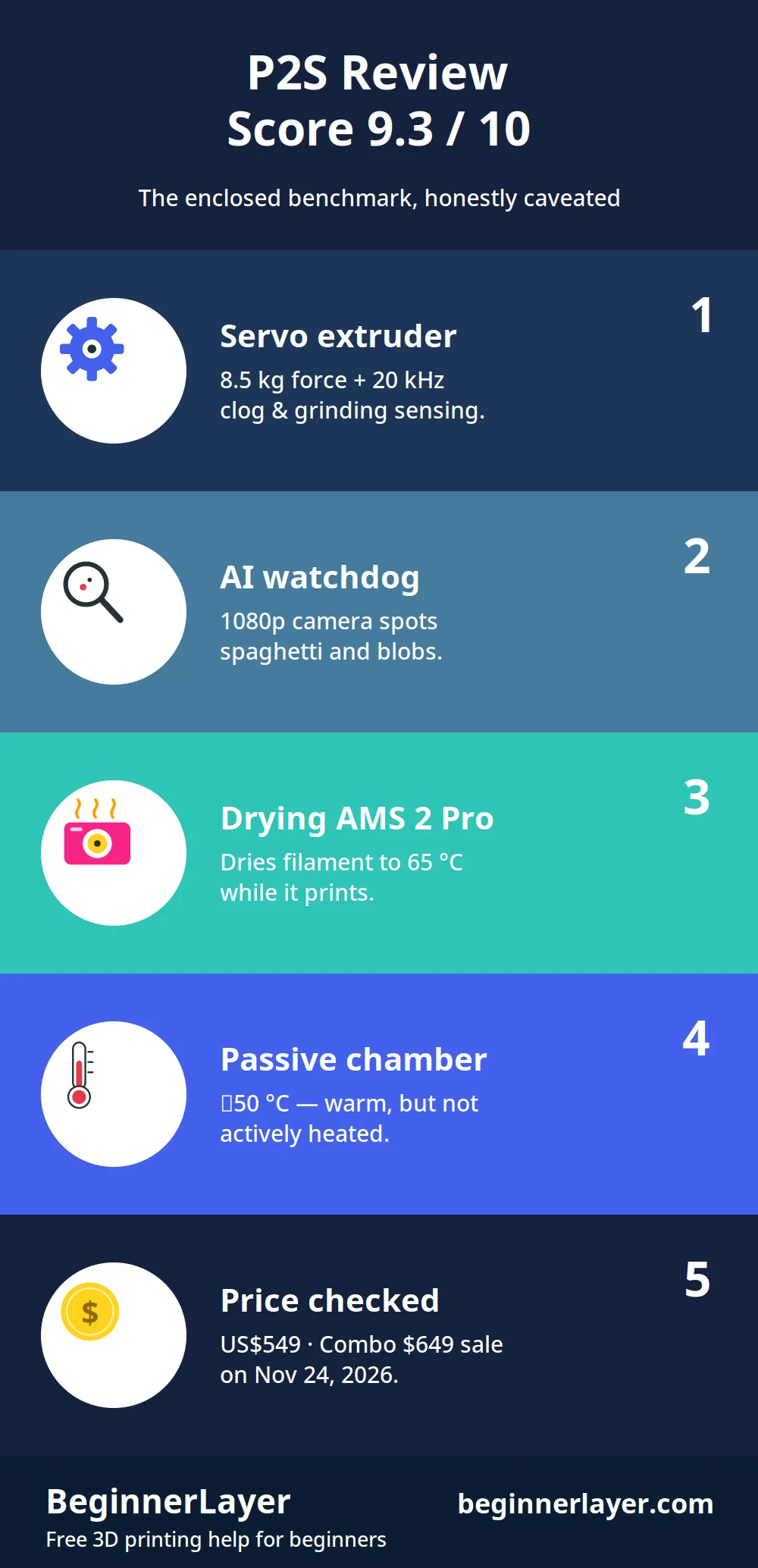
- DynaSense servo extruder: ~70% more extrusion force, 20 kHz clog/grinding detection
- AI failure detection (spaghetti, blobs) on a 1080p camera — overnight prints get a watchdog
- AMS 2 Pro dries filament while printing; hotend swaps in ~30 seconds, tool-free
- Chamber is passively heated (~50 °C) — not an actively heated engineering chamber
- US$549 base price sits close to discounted flagships; the P1S undercuts it hard
What the P2S is
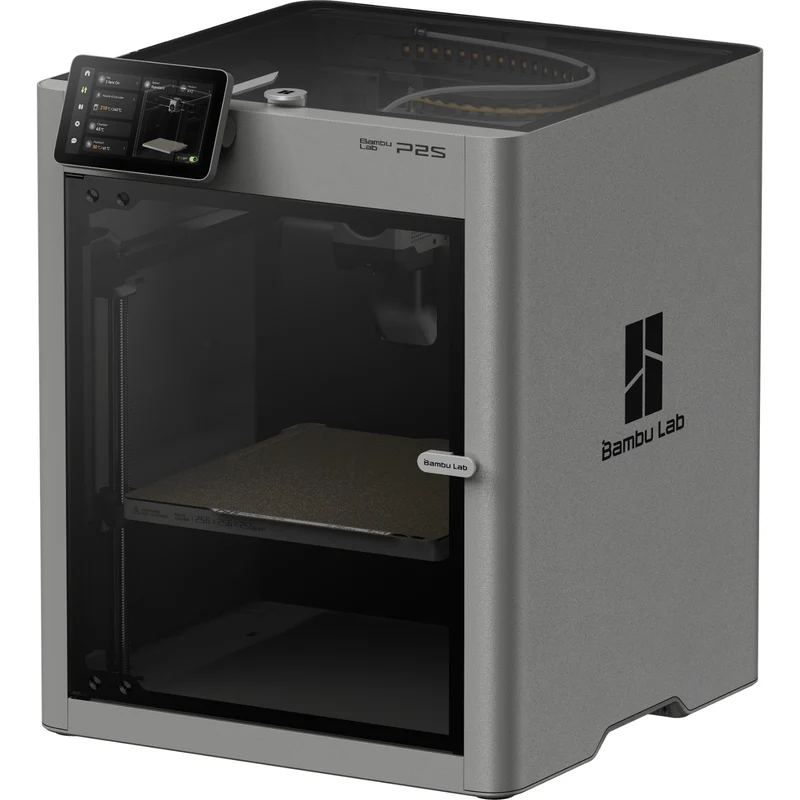
The P2S is the successor to the P1S, long the default recommendation for an enclosed printer, and it is a ground-up refinement rather than a reskin: enclosed CoreXY frame with a 256 × 256 × 256 mm build volume, a new PMSM servo extruder (Bambu calls it DynaSense) delivering about 8.5 kg of extrusion force — roughly 70% more than the previous generation — with high-frequency sensing that detects clogs and filament grinding as they start. Add a hardened-steel 300 °C hotend that swaps in about 30 seconds without tools, a 5-inch 1080p touchscreen, a proper 1080p chamber camera, and an onboard AI processor (2 TOPS) that watches for spaghetti failures and nozzle blobbing. Independent long-term testing backs the reliability story: The Verge's extended test logged 6,770 hours across four P-series machines, with the P2S unit itself passing 1,692 hours.
Score breakdown
| Category | Score /10 | Why |
|---|---|---|
| First-print success | 9.5 | Full auto calibration plus an extruder that senses trouble before it becomes a failed print |
| Print quality | 9.4 | Servo extruder consistency + resonance tuning; enclosed stability for PETG/ABS |
| Ease of use | 9.3 | Real touchscreen, tool-free hotend swaps, drying handled inside the AMS 2 Pro |
| Size & versatility | 9.2 | 256 mm cube, 300 °C hardened hotend — abrasive and engineering filaments in scope |
| Monitoring & safety | 9.6 | 1080p camera + AI spaghetti/blob detection is the class benchmark right now |
| Value | 8.6 | US$549 is fair for the spec, but the discounted P1S and rivals squeeze it |
| Overall beginner score | 9.3 | The enclosed printer to beat in 2026 |
Specifications
| Item | Bambu Lab P2S |
|---|---|
| Build volume | 256 × 256 × 256 mm, enclosed CoreXY |
| Max speed / acceleration | 600 mm/s · 20,000 mm/s² |
| Extruder | DynaSense PMSM servo, ~8.5 kg force, clog & grinding detection (20 kHz sensing) |
| Hotend | Hardened steel, 300 °C max, tool-free swap (~30 s); bed to 110 °C |
| Chamber | Enclosed, passively heated (~50 °C in use) — not actively heated |
| Multicolour / drying | AMS 2 Pro (Combo): 4 spools, active drying to 65 °C while printing |
| Monitoring | 1080p camera, AI spaghetti/blob/air-print detection (2 TOPS NPU) |
| Interface | 5-inch 1080p touchscreen, app + desktop |
Living with it: the honest caveats
The chamber deserves precision, because buyers get this wrong: the P2S enclosure is passively heated — it traps the bed's heat and sits around 50 °C in use, which is plenty for PETG, ABS and ASA parts of ordinary size, and it is not the actively heated 60 °C+ chamber of engineering printers costing several times more. Very large ABS parts can still warp at the edges of that envelope. Second: AI detection is a watchdog, not a guarantee — it catches spaghetti and blobs impressively, but a part that detaches cleanly and sits still can evade it, so first-layer discipline still matters (our spaghetti guide explains what the camera is looking for). Third, the ecosystem: Bambu's cloud-first workflow and proprietary parts are the trade for this polish; owners who want open firmware and commodity spares should look at the Prusa side of the market with open eyes.
What owners gain daily is quieter competence: the extruder sensing a clog forming and pausing before the print is ruined, filament that dries in the AMS while it prints (humid-climate owners will feel this one — see our storage and drying guide for why it matters), and hotend swaps that make a 0.6 mm nozzle for fast draft prints a 30-second decision instead of a workshop task.
Running costs — Year 1
Filament dominates, as always: 4–8 kg in an enthusiastic first year at US$15–25/kg is US$60–200, plus purge waste on multicolour work. The hardened hotend shrugs off abrasive filaments that eat brass nozzles, so consumables are mostly build plates and the occasional hotend after very heavy use — long-test data suggests nozzle service measured in thousands of hours, not weekends. Enclosed CoreXY machines draw more power than a mini (a few hundred watts while heating), still single-digit dollars a month for hobby use. The AMS 2 Pro's drying quietly deletes a separate dryer purchase (US$40–60) from the budget — count it in the Combo's favour.
Prices checked — November 24, 2026
Verified during research on November 24, 2026: Bambu lists the P2S at US$549 for the standard version, with the AMS 2 Pro Combo listed at US$749 and reported on sale at US$649 until December 1, 2026. Amazon's buy box has been running about US$20 above Bambu's own store price on this model (US$569 vs US$549 in recent checks), so compare before clicking. The P1S it replaces sits around US$499 — the honest cross-shop. We could not verify a Canadian retail price on a live page during this research, so Canadian readers should use the button below for a live CAD figure rather than a converted guess.
Also considered
Bambu Lab P1S — the predecessor, still excellent, often discounted; you give up the servo extruder, drying AMS and AI detection. Creality K1 — enclosed and fast for less money, more owner involvement; compared directly in A1 vs P1S vs K1. Prusa MK4S — open-frame but open-ecosystem, superb support and longevity. Bambu Lab A1 — if the enclosure is a nice-to-have rather than a need, it prints PLA/PETG beautifully for hundreds less. The full field is scored in our beginner printers comparison.
Updates and dated notes
November 24, 2026: review published; prices verified the same day from Bambu's store listings and long-term test coverage (The Verge's 6,770-hour P-series test). Badges noted in Bambu's material — Tom's Hardware Editor's Choice and a CNET Best of 2026 pick — are the outlets' own. Scoring basis: manufacturer specifications, documented features and patterns across published owner and reviewer reports — see 'How we score' on the comparisons hub. We re-check prices monthly and record changes here.
Common mistakes
- Assuming 'enclosed' means an actively heated chamber — the P2S chamber is passive (~50 °C); large ABS still has limits.
- Trusting AI detection as a substitute for first-layer checks — it watches for spaghetti and blobs, not for every failure shape.
- Paying the Amazon premium without checking Bambu's own store, which has undercut it on this model.
- Buying the standard version and adding the AMS 2 Pro later at full price — the Combo bundle is the cheaper route to drying + colour.
- Comparing only sticker prices: the P2S's drying AMS deletes a separate dryer from the first-year budget.
Printable quick-fix summary
- Score 9.3/10 — the enclosed CoreXY benchmark for 2026.
- Servo extruder with clog detection, AI spaghetti watch, AMS 2 Pro dries while printing.
- Prices checked Nov 24, 2026: US$549 standard · Combo US$749 list, US$649 on sale to Dec 1.
- Caveats: passive chamber (~50 °C), cloud-first ecosystem, P1S sibling costs less.
- Year 1: filament US$60–200 typical; dryer purchase unnecessary with the Combo.
Print this box (the page is print-styled for it) and keep it by the printer.
Opens the print dialog — choose “Save as PDF” and you get this page as a clean BeginnerLayer PDF, masthead and all.
Questions people ask
P2S or P1S — is the upgrade worth it?
If you print often, yes: the servo extruder's clog detection, the drying AMS 2 Pro, the real touchscreen and AI failure watching are daily-use upgrades, and long-test reliability data is strong. If the P1S is discounted heavily and you print occasionally, it remains a rational buy.
Can the P2S print ABS and ASA well?
Yes for typical part sizes — the enclosure holds a warm, still environment and the 300 °C hardened hotend covers the materials. The chamber is passively heated, so very large ABS parts remain the edge case, as on every printer in this class.
What does the AI failure detection actually catch?
Spaghetti (extruded filament with no part under it), blob formation on the nozzle, and air-printing — the failures a camera can see. It pauses and alerts you instead of finishing a ruined print, which is what makes overnight printing calmer.
Is the AMS 2 Pro's drying a gimmick?
No — filament that absorbs moisture prints worse (bubbles, stringing, weak layers), and drying inside the AMS while printing removes a whole separate appliance and routine. Owners in humid homes benefit most.
Sources
- Bambu Lab — P2S product page
- The Verge — Bambu P-series long-term test (6,770 hours)
- BeginnerLayer — filament storage and drying