AMS Lite Problems: Feed Errors, Tangles and Error Codes Fixed
Start with the error code, not with a screwdriver
The AMS lite is a long, simple path: spool, slot feeder, PTFE tube, the four-way hub above the toolhead, then the extruder. A feed error means the printer pushed or pulled and the filament did not arrive where a sensor expected it, within the distance or time allowed. That is why the same warning can be caused by a tangled spool at one end and a scrap of broken filament at the other. Opening the wrong end first wastes an hour. Instead, note three things before you touch anything: the full code on the screen, which slot was feeding, and whether the failure happened while loading, while retracting after a colour change, or in the middle of a print. Those three facts narrow the search to one stretch of the path.
The codes owners search for most are HMS 1200-8006 and 1200-8007, the AMS lite feed and retract failures on the A1 series. In plain language, 1200-8006 says the filament was fed toward the toolhead but was not detected there; the matching retract fault says filament that should have been pulled back is still being detected, or could not be pulled back at all. Other 1200-series messages cover filament not reaching the hub, a slot that will not load at all, and tangle warnings. Treat the last number as a signpost, not a verdict: the code tells you which journey failed, and your job is to walk that journey and find the stop.
Quotable fact: HMS codes 1200-8006 and 1200-8007 are AMS lite feed failures: the filament did not reach the toolhead, or could not be retracted from it, as the sensors expected.
| What the printer says | What it really means | Look first at |
|---|---|---|
| 1200-8006 — unable to feed filament | Filament never reached the toolhead sensor | Spool freedom, slot feeder, tube bends |
| 1200-8007 — failed to pull filament out | Retraction stalled or filament still detected | Tube friction, hub, broken piece in the toolhead |
| Filament tangle warning, spool looks fine | Tangle sensor tripped — real snag or false alarm | Spool edges and sensor arm; see the tangle section |
| One slot fails, three load normally | Fault lives in that slot | That slot's feeder gears and odometer |
| All four slots fail the same way | Shared part of the path | Hub, toolhead sensor, extruder entry |
Cause 1 — the spool: tangles, drag and the wrong filament
Work from the spool forward, because the cheapest causes live here. Take the failing spool off and turn it by hand. It should rotate freely through a full turn with no tight spot. A loop crossed under another loop winches tighter as the feeder pulls, so a spool can feed happily for twenty minutes and then lock solid — the classic mid-print feed failure. Look at the edges too: filament that has slipped off the side of the spool, a deformed or very narrow spool that rocks on its holder, and a near-empty spool that lifts and tips all add drag the small feeder motor has to fight. Rewind or swap the spool and retry before you open anything.
Check the filament itself as well. The AMS lite is not the place for very soft or rough materials: flexible TPU can buckle and stall in the long tube path, and damp or brittle filament can snap inside the tube and leave an invisible blockage behind. If one material fails in every slot while ordinary PLA loads cleanly in all four, you have split the problem in half for free — the machine is fine and the spool is the story. Feed that material from the external spool holder instead, and dry or replace a spool that keeps snapping. Our filament storage and drying guide covers the drying side in full.
Cause 2 — tangle false alarms, and the honest workaround
The tangle alarm deserves its own section because it is the complaint A1 owners raise most often, and a long-running one: the printer stops with a filament-tangle warning when the spool is visibly fine. The tangle detection watches how the filament behaves as it feeds, and a stiff spool, a tight tube bend or a hesitant feeder can look, to that logic, much like a snag. First rule out a real tangle properly — turn the spool a full rotation, check the filament has not dropped off the flange, and watch one load from start to finish. If the filament runs freely by hand and the alarm still fires on that slot, you are most likely looking at a false alarm rather than a knot.
Quotable fact: Filament-tangle false alarms are a long-running AMS lite owner complaint, and the known workaround is to disable tangle detection in the printer settings while you confirm the spool itself runs freely.
The workaround, used with your eyes open: disable filament tangle detection in the settings and run a supervised print. Stay honest about what that trade means. With detection off, a genuine tangle later in a long print will no longer stop the machine — the feeder will pull against the snag, slip, and under-feed instead. So treat disabling it as a diagnostic and a last resort, not a lifestyle: fix drag first (spool, tubes, feeder), re-enable detection if the alarms stop once the drag is gone, and never leave a multi-hour print unattended on a spool you already suspect. If alarms fire constantly on all slots with detection on and free-running spools, that pattern points at the sensor side and belongs in a support ticket, not in more guesswork.
Cause 3 — the slot feeder and the odometer
If only one slot fails, stay on that slot. Each AMS lite slot has its own feeder gears and a small odometer wheel whose job is to confirm that filament is actually moving, not just that the motor turned. A feeder packed with filament dust and shavings slips instead of gripping; an odometer that is stiff, dirty or faulty reports no movement and the printer quite reasonably concludes the feed failed. Power the printer down, open the slot as the manual describes, and clear the gears with a dry brush. Then do the hand test: push filament into the slot and draw it back and forth. It should move with even, modest resistance. A slot that feels gritty, stiff or loose compared with its three neighbours has just identified itself.
Cause 4 — PTFE tube friction, especially on retraction
Retraction is where tube friction bites hardest. On a colour change the AMS lite must pull the filament all the way back out of the toolhead, through the hub and along the tube. Every bend in that tube adds drag, and a tube that has been routed in a tight curve, pinched by a cable, or pushed home at an angle can pass filament happily in the feed direction yet stall it coming back — which is exactly the signature of a 1200-8007 retract failure. Reroute the tubes in the gentlest curves the space allows, make sure each tube is seated fully and cut square at both ends, and replace any tube that is kinked, cloudy with wear dust inside, or scored at the end. A filament end cut at a clean angle also travels better than a crushed or burred one, so trim the tip before reloading.
Cause 5 — the hub gear and the toolhead end of the path
All four slots share the hub above the toolhead and the extruder entry, so a fault there fails every slot together. Owners report hub gears that slip or grind: the motor turns, there is a clicking or chewing sound at the hub, and the filament advances in jerks or not at all. Broken filament is the other shared blocker — a short piece snapped off inside the hub or the toolhead sensor base stops every colour behind it. Clear it properly: heat the nozzle, remove the tube at the toolhead, and push a clean length of filament through by hand. It should emerge from the nozzle in a straight, even strand. If it will not pass, the blockage is in the extruder or hotend itself, and our nozzle clog guide takes over from there. Do not force filament hard against a jam; a snapped piece deep in the path turns a ten-minute clear-out into a strip-down.
Quotable fact: If all four AMS lite slots fail in the same way, the fault is almost never four feeders at once — it is the shared stretch of path: the hub, the toolhead sensor or a broken piece of filament blocking them all.
The fixes, step by step and in order
- Write down the full HMS code, the slot number, and whether it failed loading, retracting or mid-print.
- Swap the failing slot's spool for a known-good PLA spool. Loads fine? The original spool — tangle, drag or material — was the fault.
- Turn the original spool by hand through a full rotation; free any crossed loop and check filament has not slipped off the flange.
- Compare slots: load the same good spool in each. One bad slot = clean that slot's feeder gears and check its odometer moves freely.
- Reroute the PTFE tubes into gentle curves, reseat both ends fully, trim the filament tip square, and replace any kinked or worn tube.
- If every slot fails: clear the hub and toolhead — heat up, remove the tube, hand-push filament through until it extrudes cleanly.
- Tangle alarms with a free-running spool: disable tangle detection as a test, print supervised, and fix drag before relying on it.
- Still failing on all slots with a clear path? Stop and raise a support ticket — a dead odometer, hub motor or toolhead sensor is a hardware fault.
When it is a hardware fault, not a setting
Be willing to call it. These signs mean a part has failed rather than a path being dirty: a hub that grinds or clicks with the tubes removed and no filament loaded; an odometer wheel that does not turn when filament is drawn through its slot by hand; a toolhead sensor that never registers filament you can see sitting in the extruder; or feed failures that follow one slot through every spool, tube and cleaning you try. Take a short video of the failure and note the codes before you contact support — a clip of the exact moment it stalls, plus the list of what you have already ruled out, gets you to a replacement part far faster than 'it will not load'. And while a print is down, remember the printer itself is not: a single-colour job fed from the external spool holder bypasses the AMS lite entirely, which is a fair test of the toolhead and a way to keep printing while parts are arranged.
Common mistakes
- Opening the toolhead first for every feed error — most failures are at the spool, slot or tube, and cost nothing to check.
- Disabling tangle detection permanently without fixing the drag that was triggering it, then losing a long print to a real tangle.
- Forcing filament against a jam until it snaps inside the hub, turning a blockage into a strip-down.
- Replacing tubes with the same tight bends re-fitted — the new tube inherits the old friction and the retract error returns.
- Testing with the same suspect spool in every slot, concluding the whole unit is dead when the spool was the fault.
Printable quick-fix summary
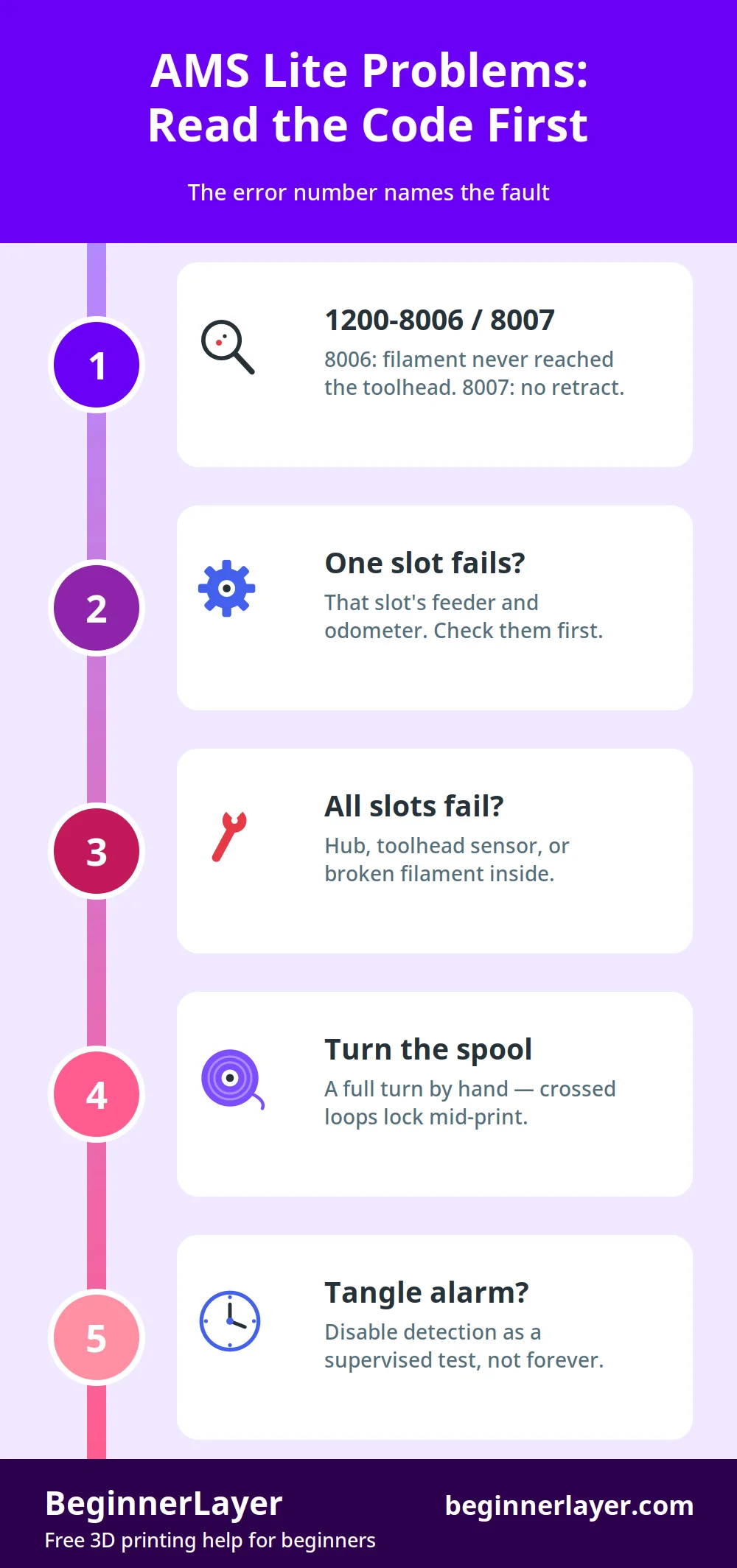
- 1200-8006 = filament never reached the toolhead. 1200-8007 = it could not be pulled back.
- One slot fails: that slot's feeder and odometer. All slots fail: hub, toolhead sensor, broken filament.
- Turn the spool by hand a full turn — crossed loops lock mid-print, not at the start.
- Gentle tube curves, ends seated and square — retract failures are usually tube friction.
- Tangle alarm, free spool: disable detection as a supervised test, not a permanent fix.
Print this box (the page is print-styled for it) and keep it by the printer.
Opens the print dialog — choose “Save as PDF” and you get this page as a clean BeginnerLayer PDF, masthead and all.
Questions people ask
What does AMS lite error 1200-8006 mean?
It means the AMS lite fed filament toward the toolhead but the toolhead sensor never detected it arriving. Work from the spool forward: tangle or drag, that slot's feeder and odometer, tube bends, then the hub and toolhead entry.
Why does my A1 keep saying the filament is tangled when it is not?
The tangle detection can be tripped by drag that resembles a snag — a stiff spool, tight tube bend or dirty feeder. Confirm the spool turns freely by hand, remove the drag, and only then use the known workaround of disabling tangle detection, printing supervised.
Why does the AMS lite fail only when retracting?
Retraction pulls filament through every tube bend, so friction that feeding can overcome often stalls the pull-back. Reroute tubes in gentler curves, reseat and square the ends, trim the filament tip, and check the hub for a broken piece.
Can I still print if the AMS lite is faulty?
Yes — a single-colour print fed from the external spool holder bypasses the AMS lite completely. That also makes it a useful test: if external feeding prints cleanly, the printer and toolhead are fine and the fault is in the AMS path.
Sources
- USI3D — Bambu A1 AMS lite: unable to feed or pull out filament (checked against Bambu Lab documentation)
- LayerArk — AMS not loading or unloading: Bambu Lab checks
- Bambu Lab Community Forum — failed to feed the filament into the toolhead (1200-8006)