OrcaSlicer 2.5: What's New, What Can Break, and How to Upgrade Safely

What OrcaSlicer 2.5 is, in one paragraph
OrcaSlicer is the free, open-source slicer that much of the hobby now treats as the default — a community fork in the PrusaSlicer/Bambu Studio family tree that added calibration tools, a cleaner interface and support for nearly every printer brand. Version 2.5.0, released November 7, 2026, is described by its own release notes as the biggest update in the project's history, built from nearly 1,300 pull requests by more than 180 contributors. That scale is exactly why this guide exists: a release this size changes defaults you rely on, and two rapid maintenance releases — 2.5.1 on November 14 and 2.5.2 on November 21, 2026 — have already fixed the first wave of migration problems. Read what changed, back up before you touch anything, and upgrade on a quiet afternoon, not the night before a deadline print.
What changed: the headline features
Python plugin support. OrcaSlicer 2.5 can load community plugins written in Python, with a permissions system that controls whether a plugin may go online, launch other programs or reach outside the slicer's data folder. Plugins already shared on the project's plugin hub add one-click tools, new panels and G-code post-processing. Treat plugins like any software that can alter your G-code: install only ones you trust, check the permissions tab before enabling, and remember that a plugin update is a production change, not a cosmetic one.
The Design tab — parametric CAD inside the slicer. The experimental Design tab lets you build and adjust parametric models without leaving OrcaSlicer: change a dimension, re-slice, print. It will not replace Fusion or FreeCAD for complex work, and the developers label it experimental for a reason — but for the classic beginner jobs (a bracket with the hole moved 3 mm, a box resized to fit a drawer, text embossed on a lid) it removes the export-import round trip entirely. Our advice: design in it, but export and keep the file, and inspect the geometry before a long print, exactly as you would with any new CAD tool.
Colour mixing. 2.5 adds colour mixing — blending new colours from the filaments you have loaded, in the spirit of mixing paint rather than swapping spools. On single-nozzle multicolour systems this widens the palette a four-spool unit can produce; the honest caveat is that mixed colours are blends extruded through one nozzle, so expect pleasing gradients and tints rather than Pantone precision, and expect your purge volumes to matter more, not less.
Quotable fact: OrcaSlicer 2.5.0 shipped on November 7, 2026 from nearly 1,300 pull requests by more than 180 contributors — the largest release in the project's history.
Per-filament prime volume: the quiet change that saves filament
The change most multicolour owners will feel in their filament budget is per-filament prime volume. In earlier versions, the amount of filament purged to clear the previous colour — the flush or prime amount — was effectively one global behaviour. In 2.5, prime volume is set per filament: a pale yellow following black needs a long purge; white following light grey needs very little. Set honestly per filament pair and the savings compound across every colour change of every layer of a multicolour print. Version 2.5.2 (November 21) completed this work, adding proper prime-volume controls for the Type 1 prime tower that Bambu printers use — the release notes give an example on a two-filament machine where correcting a 30 mm³ profile value down to the intended 10 mm³ cut the prime tower from 3.26 m of filament to 1.95 m.
This is purge waste becoming a setting you control instead of a tax you pay. To see what it is worth on your own models, run a multicolour print through our AMS purge waste calculator with your old global flush figure, then with per-filament values — the difference, multiplied by a year of colour printing, is the real headline of this release for AMS owners. While you are there, our print cost calculator folds the saving into a per-print dollar figure.
The rest of the 2.5.0 changes, grouped
- New machine support: profiles for Bambu's H2C and A2L, mixed nozzle sizes on the H2D and X2D, and updated profiles that 2.5.2 extended further, including the Snapmaker U1 and Prusa CORE One.
- Texture Displacement: surfaces can carry real geometric texture — the displacement changes the model itself, so expect larger files and longer slices on textured parts.
- Belt printers and IDEX/IQEX: belt-printing support, and parallel printing of two to four parts at once on dual-extruder machines.
- Toolhead collision volumes: Arrange, brims and travel moves now respect clips, tool docks and other obstacles you define.
- Speed Dial and seam tools: a new Speed Dial control, Precise Seam modifiers and new infill options; the slicer itself starts, slices and exports noticeably faster.
- Two default changes to check (from the release notes): Bambu Lab process presets now default to Grid sparse infill instead of Cross Hatch, and in 'Filament for Features', a feature left on Default now prints with the object's own filament.
The patch releases: 2.5.1 and 2.5.2
2.5.1 (November 14, 2026) was the security and crash-fix release: it patched two security issues (a crafted AMF file that could freeze the slicer, and the certificate check used when plugins install their Python packages), fixed crashes, and restored Bambu printers added over LAN in 2.4 or earlier, which had disappeared from the Device tab after the 2.5.0 upgrade. 2.5.2 (November 21, 2026) added the prime-volume controls described above, fixed crashes while slicing some projects that 2.4 had sliced fine, restored arranging for parts that nearly fill the bed, and shipped the updated Snapmaker U1 and Prusa CORE One profiles. The practical conclusion: nobody should install 2.5.0 today — install 2.5.2 or newer, which contains all of it.
Quotable fact: Three 2.5 releases landed in fourteen days — 2.5.0 on November 7, 2.5.1 on November 14 and 2.5.2 on November 21, 2026 — so the version to install is 2.5.2 or later, never the launch build.
What can break when you upgrade
Profiles and settings migration. A major release re-reads your 2.4 configuration. Most profiles migrate cleanly, but the two documented default changes — Grid replacing Cross Hatch as the default sparse infill on Bambu process presets, and the Filament-for-Features default change — mean a preset that relied on inherited defaults can slice differently in 2.5 without anything looking 'wrong'. Custom start G-code, filament overrides and derived presets deserve a diff-check on your first slice. Multi-filament slicing changes. Between per-filament prime volume, the 2.5.2 prime-tower fix and colour mixing, a multicolour project sliced in 2.4 will not produce identical G-code in 2.5.2 — usually it will produce less wasteful G-code, but re-slice and re-check the preview rather than assuming equivalence. Plugins. A plugin with file or network permissions is new attack and failure surface; the 2.5.1 security fixes exist precisely because this surface is real.
There are also smaller, documented traps: Bambu printers added by LAN disappearing (fixed in 2.5.1 — upgrade straight past it), projects that crashed the slicer (fixed in 2.5.2), and by-object arrangements on some toolchanger profiles being refused under stricter clearance checks. None of these are reasons to stay on 2.4 forever; all of them are reasons to upgrade deliberately, with a backup, on a day when a surprise costs you an hour rather than a deadline.
The safe upgrade routine
- Back up first. Export your full configuration bundle (all printer, filament and process presets) from 2.4 and save it outside the slicer's folders, with the date in the filename.
- Install 2.5.2 (or newer) alongside, not over. Use the portable build or a separate install location so 2.4 still opens exactly as it did yesterday.
- Import and compare. Load your bundle, then open one project you have already printed successfully and compare the preview, infill pattern, flush volumes and estimated time against the 2.4 slice.
- Test with a known model. Print a small, familiar test piece — a calibration cube or a benchy you have a good copy of — before any long or multicolour job.
- Check the two default changes. Confirm your sparse infill is the pattern you intend (Grid vs Cross Hatch) and review per-filament prime volumes on your multicolour filaments.
- Only then make 2.5 your daily slicer — and keep the 2.4 install and the backup until a month of prints has passed without surprises.
If the test print misbehaves, the routine pays for itself immediately: you still have a working 2.4, an untouched backup, and a specific difference to investigate instead of a broken setup and a deadline. This is the same discipline we recommend for the first month of printer ownership in our first 30 days guide — change one variable at a time, and keep the last known-good state reachable.
Who should wait
Wait if you are mid-project on a tuned multicolour workflow whose flush settings you have dialled in by hand — finish the project on 2.4, then migrate with the routine above. Wait if your income depends on a print farm slicing identically every day; let 2.5.2 prove itself on one machine first. Wait if you rely on a niche printer profile that has not yet been updated in 2.5 — check the release notes for your machine before, not after. Everyone else — and especially Bambu owners still on the launch build — should move to 2.5.2 now: the security fixes in 2.5.1 alone justify it, and the per-filament prime volume will quietly pay you back in filament on every colour print. New to slicing entirely? Start with the current version and our free models to practise on — there is no prize for learning on old software.
Quotable fact: In OrcaSlicer 2.5.2's own example, correcting the prime volume from 30 mm³ to 10 mm³ shrank a two-filament prime tower from 3.26 m of filament to 1.95 m — per-filament purge settings are a material saving, not a tweak.
Common mistakes
- Installing 2.5.0 today instead of 2.5.2 or newer — the launch build lacks the security fixes and the prime-volume controls.
- Upgrading over your 2.4 install with no configuration backup, leaving no way back when a preset migrates oddly.
- Assuming a re-sliced multicolour project is identical — prime volume, prime tower and default infill all changed in 2.5.
- Enabling Python plugins without reading their permissions — a plugin can alter G-code and may request network or file access.
- Upgrading the night before a deadline print instead of on a quiet day with a known test model ready.
Printable quick-fix summary
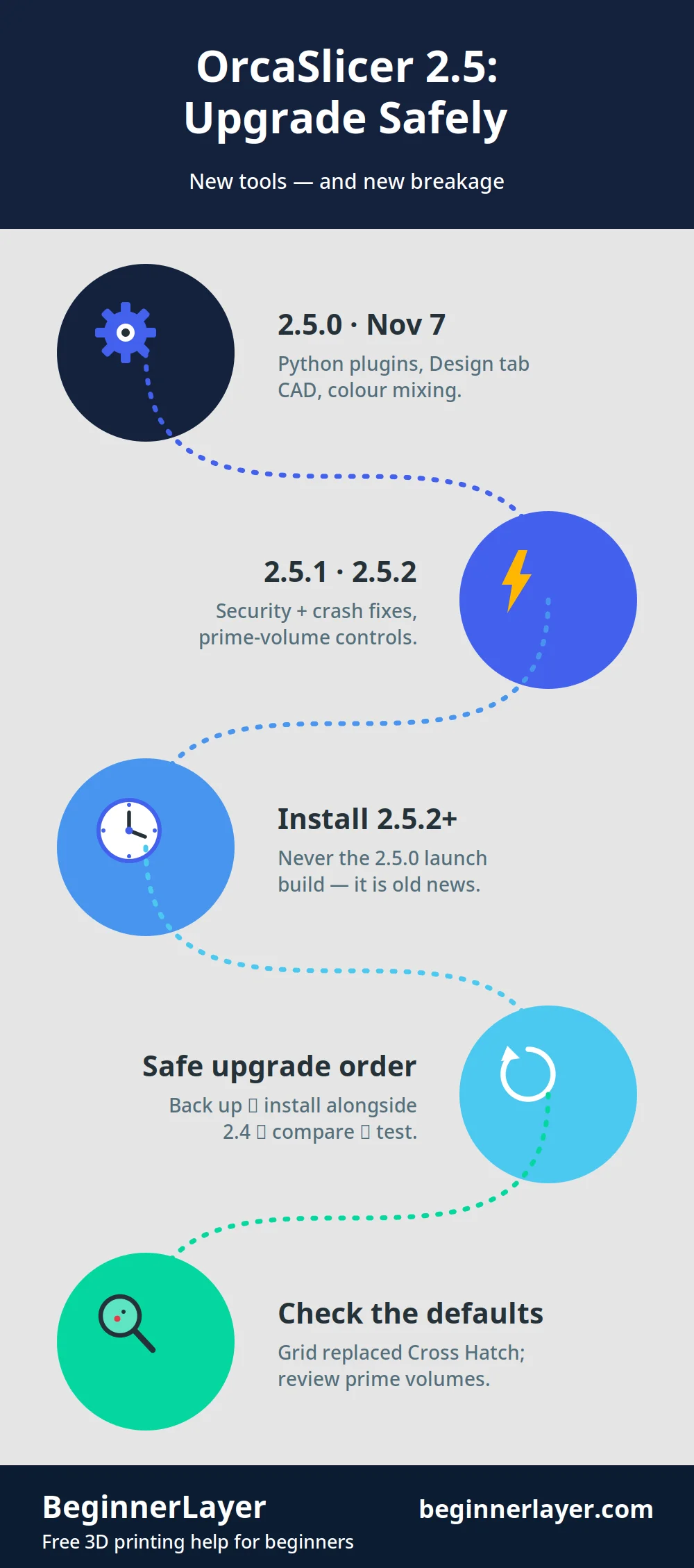
- 2.5.0 Nov 7, 2026: Python plugins, Design tab CAD, colour mixing, per-filament prime volume.
- 2.5.1 Nov 14: security + crash fixes, restores LAN-added Bambu printers. 2.5.2 Nov 21: prime-volume controls, more fixes.
- Install 2.5.2+, never the 2.5.0 launch build.
- Safe order: back up bundle → install alongside 2.4 → compare a known project → test print → switch.
- Check the defaults: Grid infill replaced Cross Hatch on Bambu presets; review per-filament prime volumes.
Print this box (the page is print-styled for it) and keep it by the printer.
Opens the print dialog — choose “Save as PDF” and you get this page as a clean BeginnerLayer PDF, masthead and all.
Questions people ask
Is OrcaSlicer 2.5 free, and where do I get it?
Yes — OrcaSlicer is free and open source. Download it only from the project's official GitHub releases page, and choose version 2.5.2 or newer so the security and crash fixes from 2.5.1 and the prime-volume controls from 2.5.2 are included.
Will my 2.4 profiles break in 2.5?
Most migrate cleanly, but two documented default changes can alter slices silently: Bambu process presets now default to Grid infill instead of Cross Hatch, and features left on Default now use the object's own filament. Export a full backup before upgrading and compare one known project after.
What is per-filament prime volume, in plain words?
It is the amount of filament purged to clear the old colour, now settable for each filament instead of one global value. Dark-to-light changes need long purges; similar colours need short ones. Set honestly, it cuts purge waste on every multicolour print — 2.5.2's example cut a prime tower from 3.26 m to 1.95 m of filament.
Should I use the new Design tab instead of my CAD program?
For simple parametric jobs — resizing a box, moving a hole, embossing text — it is genuinely convenient and removes the export round trip. It is labelled experimental, so keep your usual CAD for complex work, export and save designs you care about, and inspect geometry before long prints.
Sources
- OrcaSlicer — official GitHub releases (2.5.0–2.5.2 notes)
- BeginnerLayer — AMS purge waste calculator
- BeginnerLayer — print cost calculator