Bambu Lab P2S vs P1S: A Generation Apart, Honestly Priced

Bambu Lab P2S
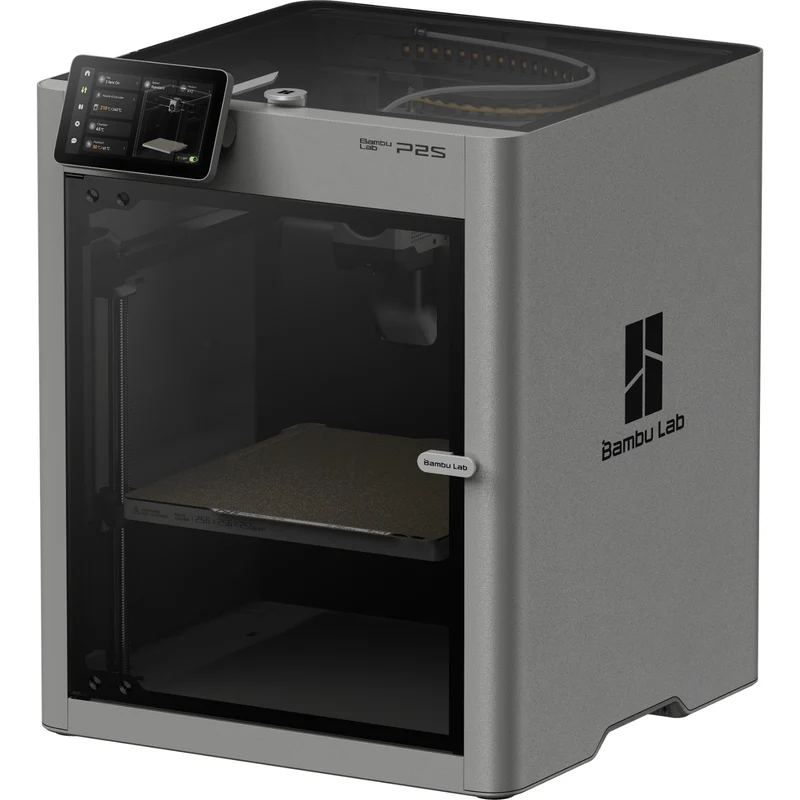
- DynaSense servo extruder (~8.5 kg force) senses clogs and grinding before they ruin prints
- AMS 2 Pro dries filament to 65 °C while printing — colour spools stay print-ready
- 1080p camera with AI spaghetti and blob detection watching every print
- Costs meaningfully more than the P1S, especially against P1S sale pricing
- Same 256 mm volume and same purge-per-change colour physics as the P1S
Bambu Lab P1S
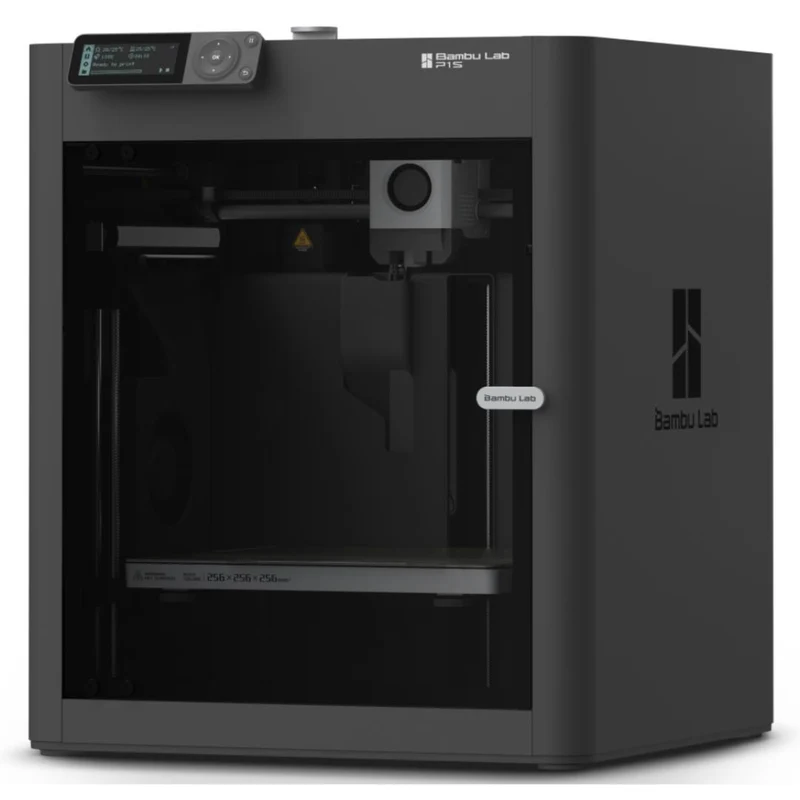
- The same enclosed 256 mm CoreXY formula that defined its class, at a lower price
- Proven over years of owner use, with a deep community and parts ecosystem
- Original AMS colour printing available in Combo form for less money overall
- No filament drying in the original AMS — damp spools are your problem to solve
- Basic screen and controls, no servo clog sensing, no AI failure watching
What a generation actually means here
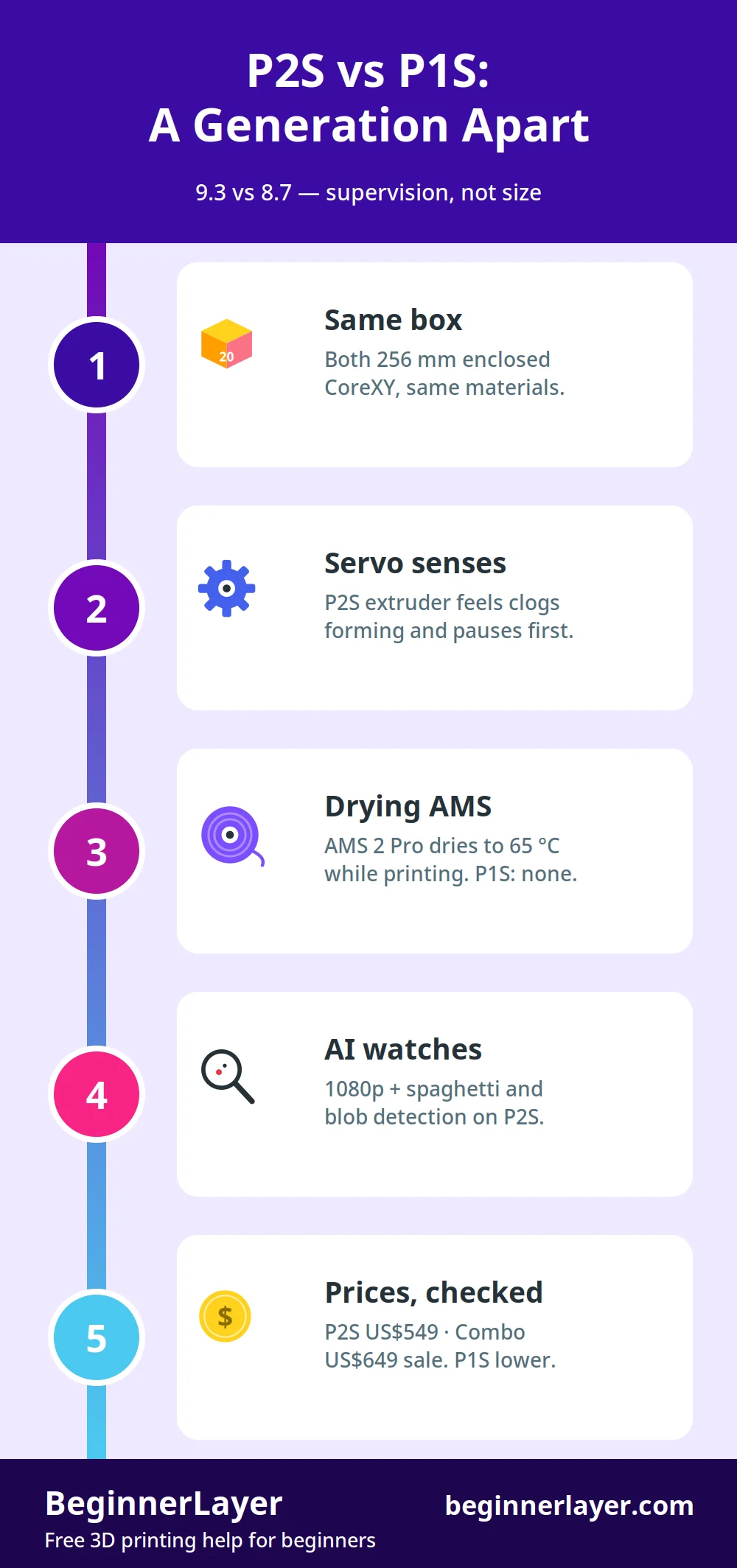
The P1S was the enclosed CoreXY that set the class standard: a 256 × 256 × 256 mm sealed box, fast CoreXY motion, an optional AMS for four-colour printing, and a price that embarrassed machines twice its cost. The P2S is its direct successor, and Bambu spent the generation gap on supervision and filament care rather than on size or headline speed. The build volume is identical. The enclosure concept is identical. What changed is how hard the printer watches itself, how it treats your filament between prints, and how it talks to you. That makes this comparison unusually honest work: there is no bigger bed or faster headline to hide behind, so every difference below is a feature you will either use weekly or never miss.
Quotable fact: The P2S and P1S share the same 256 × 256 × 256 mm build volume — the newer machine's premium buys supervision (servo sensing, AI detection) and filament drying, not a single extra millimetre of print space.
Start from our full reviews if you want each machine judged alone: the P2S review scores the new machine 9.3/10, and the P1S is compared across our beginner printers round-up. This page assumes both are good — because both are — and spends its words on the gap between them and the two audiences who feel that gap differently: new buyers choosing once, and P1S owners deciding whether to move.
Head-to-head specifications
| Item | Bambu Lab P2S | Bambu Lab P1S |
|---|---|---|
| Build volume | 256 × 256 × 256 mm | 256 × 256 × 256 mm |
| Architecture | Enclosed CoreXY, passive chamber ~50 °C | Enclosed CoreXY |
| Extruder | DynaSense servo, ~8.5 kg force, clog + grinding sensing at 20 kHz | Standard direct drive — no servo sensing |
| Colour system | AMS 2 Pro: 4 spools, active drying to 65 °C while printing | AMS (original): 4 spools, no active drying |
| Monitoring | 1080p camera + AI spaghetti/blob detection (2 TOPS) | 720p-class camera, timelapse-grade monitoring |
| Interface | Full touchscreen | Basic monochrome display + app control |
| Hotend / bed | 300 °C hardened steel · bed to 110 °C | High-temperature hotend class · enclosed-material capable |
| Materials | PLA, PETG, TPU, ABS, ASA | PLA, PETG, TPU, ABS, ASA |
| Price (checked Nov 24, 2026) | US$549 base · Combo US$649 sale (list US$749) | Lower street/sale pricing — see live button |
The three upgrades that matter
First, the servo extruder. The P2S's DynaSense extruder pushes with about 8.5 kg of force and senses its own work thousands of times per second: a forming clog, a grinding gear, a tangle upstream — the faults that quietly ruin hour nine of an overnight print — are detected and paused on instead of printed through. The P1S has no equivalent sense; its failures announce themselves in the morning. For owners who run long, unattended, or sellable prints, this is the single most valuable difference in the comparison, because it converts the worst outcome in printing (a ruined long print) into a pause notification.
Second, the drying AMS. The original AMS stores four spools; the AMS 2 Pro stores four spools and dries them, to 65 °C, while printing. Wet filament is failure cause number two in the whole hobby — stringing, popping, rough surfaces, weak layers — and it creeps up on stored spools in humid rooms and damp seasons. P1S owners solve it with a separate dryer box and a rotation habit; P2S owners mostly stop thinking about it. Judge this upgrade by your climate and your discipline: a dry workshop and a tidy owner narrow the gap to nothing, while a humid basement and a casual owner make it worth real money.
Quotable fact: Wet filament is the second most common cause of failed and ugly prints across the hobby — which is why a colour unit that dries while it prints is a print-quality feature, not a storage luxury.
Third, the watching camera. The P2S pairs a 1080p camera with on-device AI (2 TOPS) that recognises spaghetti failures and nozzle blobs and pauses the print. The P1S's camera is for checking in and timelapses. Like the servo, this is insurance whose value scales with how unattended your printing is: a printer in your office that you glance at hourly gains little; a printer in a garage running overnight gains the difference between a saved print and a filament nest.
What did not change — and why it matters
The list of samenesses is long and decisive for upgraders. Same build volume. Same enclosed CoreXY architecture and material range — both print ABS and ASA properly, unlike the open A-series. Same single-nozzle colour physics: both purge on every colour change, so multicolour waste is a shared cost (estimate yours in our AMS purge waste calculator, and compare the toolchanger alternative in our U1 vs P2S comparison). Same slicer, same app, same model ecosystem, same fundamental print quality on a well-tuned single-colour part. A P1S owner's library of profiles, parts and habits transfers whole. Nothing about the P2S makes a good P1S print better; it makes bad days rarer and damp filament somebody else's problem.
For P1S owners: the upgrade verdict
Do not upgrade for the spec sheet; upgrade for a named pain. The honest triggers are: your prints run long and unattended and you have lost at least one to a clog or spaghetti nest the P2S would likely have caught; your filament lives in humid air and drying has become a chore you skip; or the machine earns money, where one saved long print a quarter can justify the swap on arithmetic alone. Absent one of those, a P1S plus a standalone filament dryer is the rational spend, and it is not close. Also price the exit honestly: a used P1S sells into a deep second-hand market precisely because it remains a good printer, which softens the upgrade cost for owners who do decide to move — check current listings rather than assuming a figure.
Running costs — Year 1
Running costs per gram are effectively identical: same materials, same purge behaviour, similar power. A normal first year is 4–8 kg of filament (US$80–160 at US$20/kg), wear parts under roughly US$30, and — the one asymmetry — P1S owners should budget a standalone filament dryer (a modest one-time cost) if their storage is humid, a cost the P2S Combo folds into the AMS 2 Pro. Over a year, the dryer's price narrows the purchase gap slightly but does not close it; over three years, the P2S's supervision features are the kind that pay out in avoided failures rather than in any ledger line you can predict.
Verdict by buyer type
- New buyer, budget allows — buy the P2S Combo: it is the current generation, and its safeguards are cheapest bought once, in the box.
- New buyer, budget firm — buy the P1S without a backward glance: same volume, same materials, same ecosystem, lower price.
- P1S owner with a named pain (lost long prints, damp filament, earning machine) — the upgrade is rational; sell the P1S into its strong used market.
- P1S owner without one — keep it, add a dryer if humidity bites, and revisit at the next generation.
- Colour-first buyers — neither machine changes purge physics; read the toolchanger comparison before spending flagship money here.
Prices checked — November 24, 2026
Verified during research on November 24, 2026: the P2S is US$549 for the base printer; its AMS 2 Pro Combo lists at US$749 and was on sale at US$649 in Bambu's October 27 – December 1, 2026 event. In Canada the P2S was listed at CAD $689 at EnviroLaser. The P1S, as the outgoing generation, trades on street and sale pricing that moves faster than a dated check can fairly fix — which is itself part of its bargain case — so use the button above for its live figure and compare Combo against Combo. Like-for-like, expect a gap in the region of one to two hundred dollars depending on the week's sales; the verdicts above are written to hold across that range.
Updates and how we score
November 24, 2026: comparison published with P2S prices verified the same day. Scoring basis: manufacturer specifications, documented features and patterns across published owner and reviewer reports — not hands-on lab tests of our own. The P1S's 8.7 against the P2S's 9.3 prices supervision and drying, not print quality, where a well-kept P1S stands level. We re-check prices monthly and record changes here.
Common mistakes
- Upgrading from a P1S for print quality — the P2S's premium buys supervision and drying, not better-looking parts.
- Comparing a P2S Combo price against a base P1S price — the AMS units differ (drying vs not) and so do the bundles.
- Ignoring humidity: in a damp space the AMS 2 Pro's drying is a weekly benefit; in a dry workshop it may never matter.
- Assuming the P1S is obsolete — it shares the volume, materials and ecosystem, and its used market is strong for a reason.
- Forgetting purge waste when pricing colour on either machine — single-nozzle physics did not change between generations.
Printable quick-fix summary
- P2S 9.3 · P1S 8.7 — same 256 mm enclosed CoreXY; the gap is supervision + drying.
- P2S adds: servo clog sensing, AMS 2 Pro drying to 65 °C, AI failure detection, touchscreen.
- Prices checked Nov 24, 2026: P2S US$549 · Combo US$649 sale; P1S on moving street prices.
- New buyer with budget → P2S. Budget firm → P1S. P1S owner → upgrade only for a named pain.
- Colour waste is identical on both — run the purge calculator before buying either for colour.
Print this box (the page is print-styled for it) and keep it by the printer.
Opens the print dialog — choose “Save as PDF” and you get this page as a clean BeginnerLayer PDF, masthead and all.
Questions people ask
Is the P2S worth it over the P1S for a new buyer?
If the roughly one-to-two-hundred-dollar gap (sales depending) fits the budget, yes: the servo extruder's clog sensing, the drying AMS 2 Pro and AI failure detection are worth most to owners in their first year, when prints are longest watched and filament care is least habitual. On a firm budget the P1S remains an excellent buy — same volume, same materials.
Should P1S owners upgrade to the P2S?
Only for a named pain: long unattended prints lost to clogs or spaghetti, chronically damp filament, or a machine that earns money. The P2S does not improve a good P1S print — it makes bad days rarer. Everyone else is better served by a standalone dryer and another year of use.
Does the P2S print better quality than the P1S?
On a well-tuned single-colour print, no meaningful difference — same architecture class, same volume, same slicer. The P2S's advantages appear on the bad days: it senses clogs forming, dries the filament that causes stringing, and pauses when a print turns to spaghetti.
Which AMS should I get?
The AMS 2 Pro (with the P2S) if your filament lives in humid air or you print colour often — it dries while it prints. The original AMS (with the P1S) is fine for dry storage and occasional colour. Both hold four spools and both purge on every change.
Sources
- Bambu Lab — P2S product page
- Bambu Lab — P1S product page
- BeginnerLayer — Bambu Lab P2S review
- BeginnerLayer — best 3D printers for beginners