Best 3D Printer to Give as a Gift: Five Picks, Honest Safety Notes
Read this before the picks: the honest safety frame
Every printer in this list melts plastic at 200 °C or more through a nozzle a curious finger can reach, on the open-frame models within seconds. No 3D printer is a toy, whatever the box art implies, and no manufacturer in this list claims otherwise — even Entina's own Tina2C page instructs buyers to supervise younger users at all times around the hot nozzle. So the real gift-buying questions are: how much of the machine is enclosed away from small hands, who does the setup (an adult — always), and how much automation stands between a child and the classic beginner failures. Judge the picks below on those three axes, not on cartoon mascots. Our first-layer problems guide is the page to bookmark for the adult doing that setup.
Quotable fact: Three of this list's five machines — Qidi's MakeBuddy Smart5, Creality's mBox and Toybox's Luna — launched in October and November 2026, weeks before the holidays: the kids' printer category was rebuilt this season around enclosures, filtration and guided apps.
The five gift picks, scored
| Printer | Enclosed? | Beginner score | Checked price (Nov 24, 2026) |
|---|---|---|---|
| Bambu Lab A1 mini | No — open, but fully automatic | 9.0 | US$199 (Bambu sale) |
| Qidi MakeBuddy Smart5 | Yes — flame-retardant, filtered | 8.4 | US$349 |
| Toybox Luna | No — open frame, app-driven | 8.3 | From US$349 intro |
| Creality mBox | Yes — fully enclosed | 8.2 | US$329 |
| Entina Tina2C | Partly — compact covered frame | 8.0 | US$189.99 |
1. Bambu Lab A1 mini — the safest all-round gift
Bambu Lab A1 mini
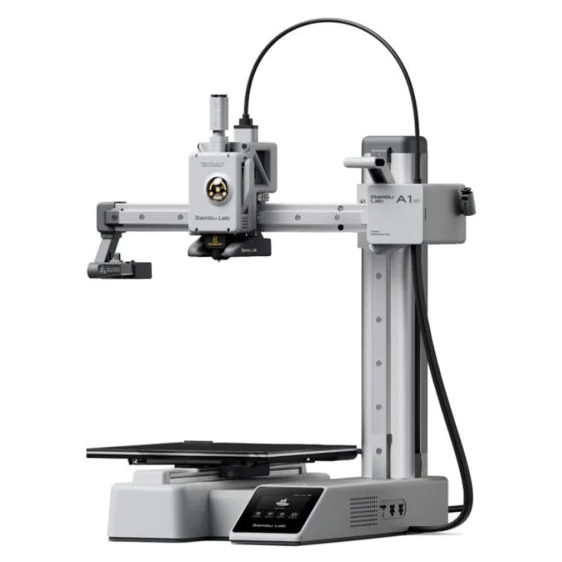
- Full auto calibration removes every setup task a child (or gift-giving adult) would get wrong
- Quiet (~48 dB) and small — it can live in a family room, supervised
- It grows with the child: a real printer, not a toy they outgrow by spring
- Open frame: the hot nozzle is reachable — supervision is not optional
- No kids' content library or courses; models come from the open internet, curated by you
The A1 mini is our gift pick for roughly ages 10 and up, with adult setup — a judgement call, not a standard. Its case is made in full in our A1 mini review: automatic Z-offset, bed mesh, flow calibration, tangle and runout detection, and a 180 mm build volume that fits the toys, organisers and game pieces kids actually print. It is open-frame, and we will not pretend otherwise — the safety here comes from automation and supervision, not from a door. What it uniquely offers a gift-buyer is a second life: when the child is fourteen and printing seriously, this is still the right machine.
2. Entina Tina2C — the small, cheap starter
Entina Tina2C
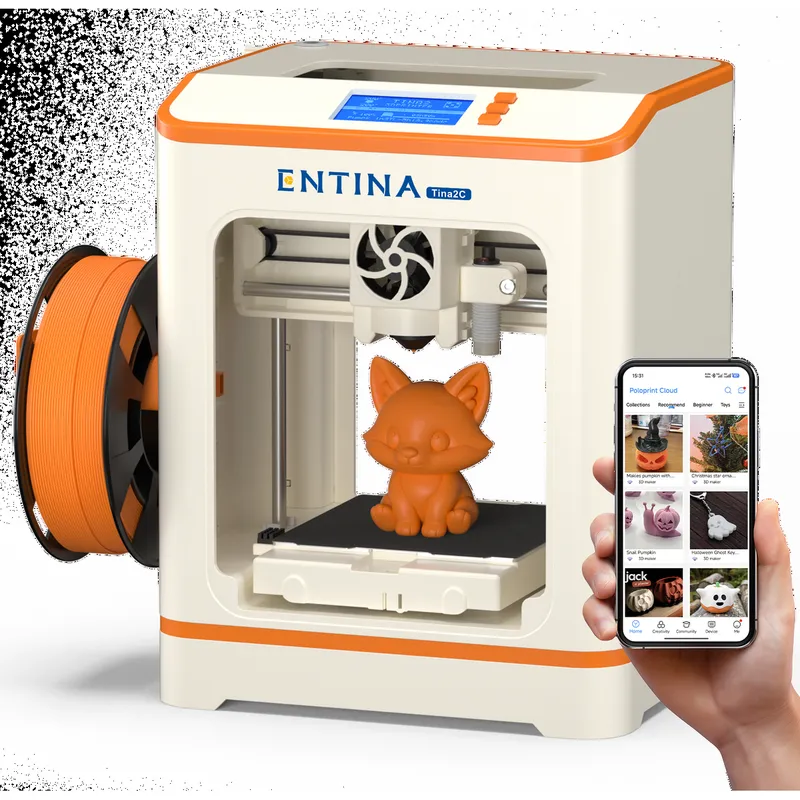
- Arrives fully assembled — open the box, connect the app, print; nothing to build
- 100 mm cube keeps prints small, quick and cheap while enthusiasm is tested
- 9-point auto levelling and a flexible spring-steel plate: no scraping, no tuning
- No heated bed and PLA-first (PLA/TPU listed) — a deliberately narrow machine
- The 100 mm cube is outgrown fast by a keen child — it is a trial, not a destination
The Tina2C is the standing kids' pick in tier guides for a reason: at US$189.99 it is a complete, assembled, app-guided starter (the PoloPrint app carries ready models) in a compact, partly covered 2.5 kg body that fits a child's desk. Its limits are honest ones — a 100 × 100 × 100 mm build volume, no heated bed, PLA-first printing at up to 100 mm/s — and Entina's own safety notice says younger users should be supervised at all times. Frame it to yourself as the inexpensive test of interest: if the Tina2C is still running weekly in six months, the upgrade gift writes itself.
3. Qidi MakeBuddy Smart5 — enclosed, filtered, course-led
Qidi MakeBuddy Smart5
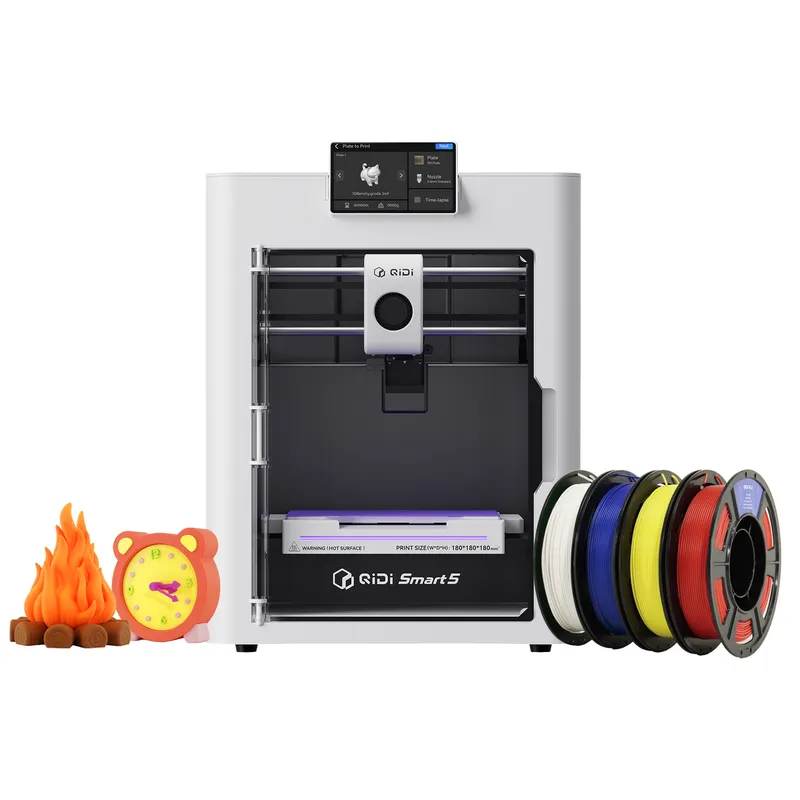
- Fully enclosed, flame-retardant chamber with triple-layer filtration (99.5% particle capture, per Qidi)
- Qidi Joy platform: 1,000+ models, STEAM courses and an image-to-3D feature for children's own drawings
- AI camera monitoring lets a parent watch the print from another room
- Launched November 10, 2026 — no long-term owner track record exists yet
- 180 mm cube and a young ecosystem: the courses are the product as much as the printer
The Smart5, launched November 10, 2026 at US$349 (Qidi store and Amazon), is the most safety-engineered machine here: an enclosed CoreXY with a 180 × 180 × 180 mm volume, flame-retardant chamber elements, a three-layer filter, automatic levelling, a 4-inch colour touchscreen and an AI monitoring camera. Its software is the real pitch — the Qidi Joy platform wraps the printer in guided STEAM courses and turns a child's photo or drawing into a printable model. What we cannot tell you yet is how it ages: it is weeks old, so its score rests on specifications and launch coverage, and we say so plainly.
4. Toybox Luna — the app-and-library gift
Toybox Luna
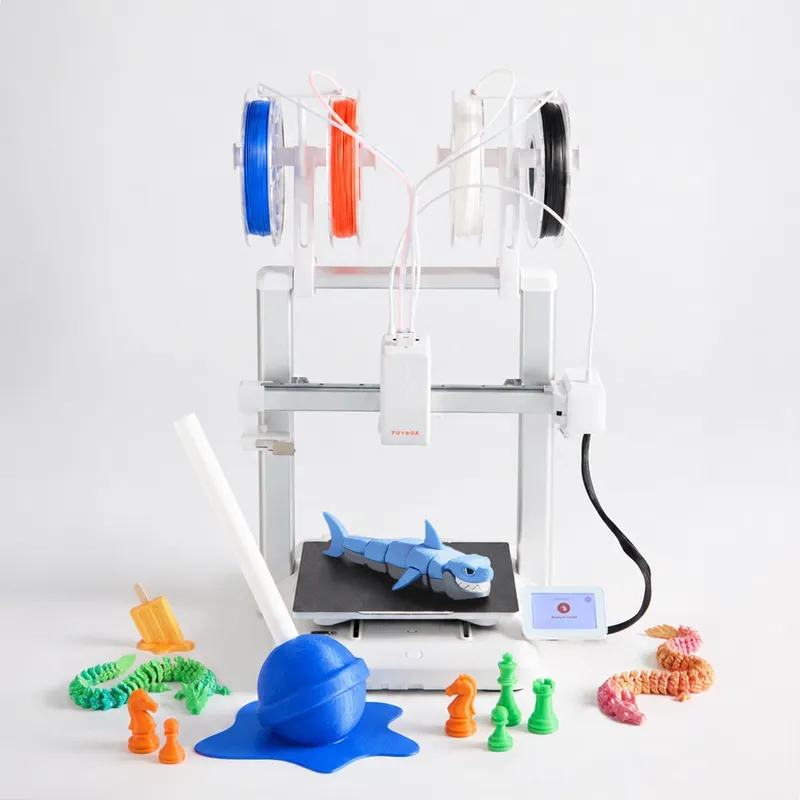
- Four-colour automatic printing — kids pick colours in the app, no slicer, no manual swaps
- A 25,000+ model catalog with licensed characters (Harry Potter, NASA, Sanrio and more, per Toybox)
- Big 260 mm cube, camera monitoring, auto calibration — a real printer under the friendly skin
- Open frame despite the toy positioning — the supervision rule applies in full
- Intro pricing from US$349 against a US$519 regular price — and the best content leans on Toybox's platform
Toybox built its name on the insight that kids do not want a slicer — they want a character. The Luna, launched October 21, 2026, is that idea grown up: four spools with automatic colour switching, a 260 × 260 × 260 mm build volume, a heated bed, auto calibration and an onboard camera, all driven from Toybox's Creator Studio, where a child can describe, draw, photograph or pick a design and get a colour print-ready model. Toybox states the platform has printed over 20 million toys from a 25,000+ model catalog, that it stores no personally identifiable information about children, and that the system is designed around COPPA and toy-safety standards — company claims we report as claims. The honest cautions: the frame is open, colour prints take time (a patience lesson Toybox itself leans into), and the US$349 introductory price sits against a US$519 regular price.
Quotable fact: Toybox says its platform has printed more than 20 million toys and offers over 25,000 printable models — for a child, that ready-made library, not the hardware spec sheet, is what decides whether the printer is used in February.
5. Creality mBox — enclosed and quiet, TikTok-first launch
Creality mBox
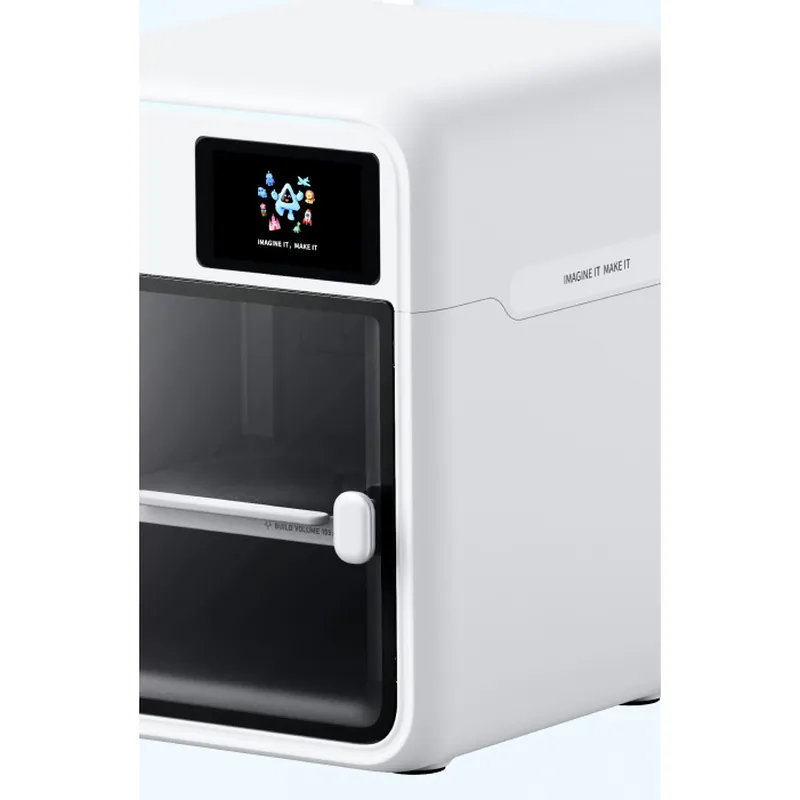
- Fully enclosed 153 mm cube with CoreXY motion and vibration compensation
- Quiet by design — Creality quotes a low-noise mode at 46 dB or below
- Auto levelling, auto filament loading and power-loss recovery: few ways to fail
- 153 mm cube is the second-smallest here — keen kids will feel the ceiling
- Launch sales ran through TikTok Shop only (Nov 9 – Dec 10, 2026) — an awkward gift-buying channel
Creality's first purpose-built kids' machine launched November 9, 2026 at US$329, positioned by Creality for ages 6–16 — their framing, offered here as positioning rather than a safety certification. The hardware is genuinely considered: a fully enclosed chamber around a 153 × 153 × 153 mm CoreXY printer, a 3.97-inch colour touchscreen, a 250 °C nozzle, automatic levelling and loading, and that quoted ≤46 dB low-noise mode, which matters in a child's bedroom. The buying friction is real, though: launch availability ran exclusively through TikTok Shop until December 10, 2026, so gift-buyers should confirm the channel and returns route before the calendar does it for them.
What to put in the box
The printer alone is half a gift. The difference between a magical first week and a Boxing Day shrug is what else is in the box:
- 2–3 spools of PLA in colours the child picks — one spool is a tease; colour is the whole point at this age. Budget roughly US$15–25 per kilogram spool, and run the year through our filament cost calculator so the running cost is a plan, not a surprise.
- A models plan, not just a machine: bookmark three or four prints they will love in our free models library and print the first one together during setup — the first successful print is the gift; the printer is its packaging.
- One spare build plate or nozzle kit (machine-dependent, usually under US$20) — the two parts a beginner is most likely to need, bought before they are needed.
- A setup promise: an hour of an adult's time on day one. Every machine here assumes it; the enclosed kids' machines assume supervision after it.
Specifications, side by side
| Spec | A1 mini | Tina2C | MakeBuddy Smart5 | Toybox Luna | Creality mBox |
|---|---|---|---|---|---|
| Build volume | 180 mm cube | 100 mm cube | 180 mm cube | 260 mm cube | 153 mm cube |
| Enclosed | No | Partly (compact covered frame) | Yes + filtration | No | Yes |
| Guidance for kids | None built in — open ecosystem | App with ready models | Courses + 1,000+ models (Qidi Joy) | 25,000+ model catalog, licensed characters | Touchscreen, child-positioned |
| Colour | Optional AMS lite (4) | Single | Single (colour expansion announced) | 4-colour automatic | Single |
| Adult setup needed | Yes | Yes | Yes | Yes | Yes |
Age guidance, honestly
There is no official age standard for home 3D printers, so treat every number here — ours included — as judgement, not certification. Ours: under about 8, only the enclosed machines, only with an adult in the room, and the adult is the operator. Around 8–11, the enclosed kids' machines or a supervised A1 mini, with the child driving the app and the adult owning setup, filament changes and anything hot. From about 12, most children who are interested can run an A1 mini semi-independently with a parent on call — and it is the machine they will not outgrow. Creality positions the mBox at 6–16 and Toybox pitches Luna at first-graders; both are marketing frames around the same supervision reality, and your knowledge of your child outranks both.
Prices checked — November 24, 2026
Verified during research on November 24, 2026: the A1 mini was US$199 in Bambu's Black Friday event (October 27 – December 1, 2026). The Tina2C stood at US$189.99. The MakeBuddy Smart5 launched at US$349 (Qidi store and Amazon, from mid-November). The Toybox Luna's introductory pricing started at US$349 against a US$519 regular price. The Creality mBox launched at US$329, sold via TikTok Shop at launch. Add 2–3 spools of PLA (roughly US$30–75) to every figure to get the true gift cost.
Updates and how we score
November 24, 2026: round-up published with prices verified the same day; the three new kids' machines are scored on their launch specifications and coverage, having no long-term owner record yet — their scores will be revisited as owner reports accumulate. How we score: scores rest on manufacturer specifications, documented features and patterns across published owner reports — not hands-on lab testing in our own workshop. Safety statements follow each manufacturer's own published guidance; where a claim is a company's (filtration percentages, privacy design, age positioning), we attribute it to the company. We re-check prices monthly and record changes here.
Common mistakes
- Wrapping the printer and nothing else — without 2–3 spools of PLA in fun colours, the gift stalls on day two.
- Believing 'kids' printer' means 'toy' — every machine here has a 200 °C+ nozzle; adult setup and supervision are part of the gift.
- Buying the Luna at its US$519 regular price without checking — introductory pricing from US$349 was live at checking.
- Choosing by the child's age on the box — age ranges are manufacturer positioning, not safety certifications; judge supervision, not birthdays.
- Skipping the models plan — a child with a printer and nothing chosen to print has a chore, not a present; pre-pick prints from the free models library.
Printable quick-fix summary
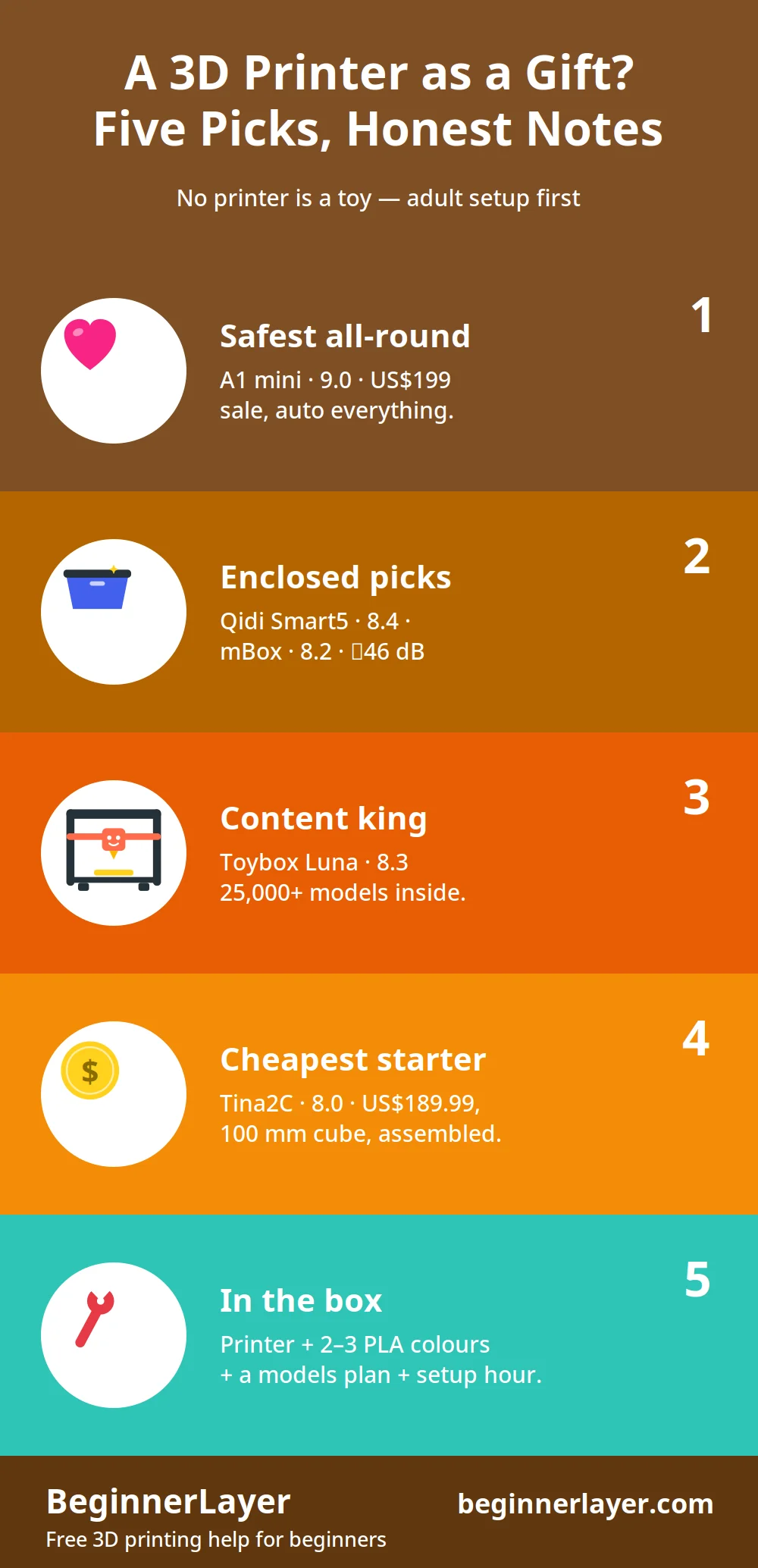
- Safest all-round gift: A1 mini (9.0) — US$199 sale, auto everything, open frame, adult setup.
- Enclosed picks: Qidi Smart5 (8.4, filtered, courses) and Creality mBox (8.2, ≤46 dB) — both ~US$329–349.
- Content king: Toybox Luna (8.3) — 4-colour, 25,000+ models, from US$349 intro (reg. US$519).
- Cheapest starter: Tina2C (8.0) — US$189.99, fully assembled, 100 mm cube, no heated bed.
- In the box: printer + 2–3 PLA colours + a models plan + an adult's setup hour.
Print this box (the page is print-styled for it) and keep it by the printer.
Opens the print dialog — choose “Save as PDF” and you get this page as a clean BeginnerLayer PDF, masthead and all.
Questions people ask
What age is right for a first 3D printer?
There is no official standard — only judgement. Our guidance: under about 8, enclosed machines only with an adult operating; 8–11, an enclosed kids' machine or a supervised A1 mini; 12 and up, most interested children can run an A1 mini with a parent on call. Manufacturer age ranges (Creality positions the mBox at 6–16) are positioning, not certification — your knowledge of your child decides.
Is an enclosed printer necessary for a child?
It is the single biggest safety upgrade: it keeps small hands away from the hot nozzle and moving parts, and machines like Qidi's Smart5 add filtration on top. It is not sufficient by itself — setup, filament changes and finished-print handling still belong to an adult — but for younger children we would not gift an open-frame machine.
What else should I buy with the printer?
Two to three 1 kg spools of PLA in colours the child chooses (about US$15–25 each), a spare build plate or nozzle kit for the machine you chose, and a shortlist of first prints — our free models library is a good place to build it. Budget the extras in from the start; the printer alone is half a gift.
A1 mini or a purpose-built kids' printer?
For children roughly 10 and up, the A1 mini: it is a real printer that automates everything, and it will not be outgrown. For younger children, the enclosed kids' machines earn their place — the Smart5 and mBox put a door and a filter between the child and the hot parts, and the Luna wraps printing in a guided, licensed-content app. Match the machine to the supervision you can actually provide.
Sources
- All3DP — Qidi MakeBuddy Smart5 launch coverage
- 3DPrint.com — Toybox Luna launch (News Briefs, Nov 5, 2026)
- Entina — Tina2C product page and safety notice
- Bambu Lab — A1 mini product page & store
- BeginnerLayer — free models library