Creality K1 Problems: The Fixes Owners Search For Most

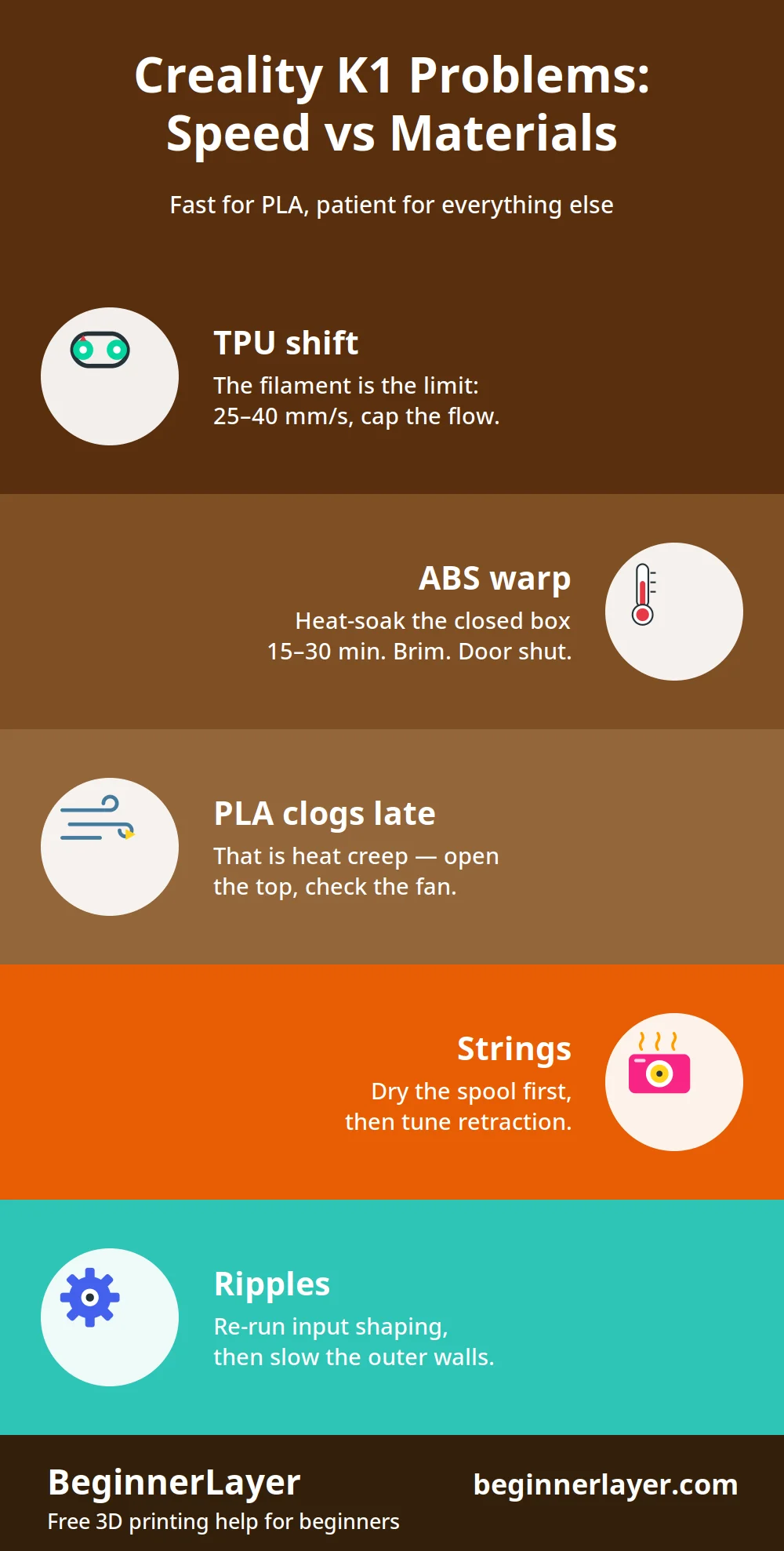
Why the K1 fails differently from a slow printer
The K1 is a CoreXY machine built to move fast inside a closed box, and that combination writes its own failure list. A bed-slinger's classic faults — a loose belt, a wobbly frame — still exist here, but the faults owners actually search for are the ones speed and enclosure create: layer shift when a soft filament cannot keep up with the motion system, warping when a temperature-sensitive plastic meets an unevenly heated chamber, heat creep when a hot box slowly warms the cold end, and ringing and stringing when profiles tuned for demonstrations meet real models. This guide works through that specific set in the order owners meet them. For the generic versions of these faults on any machine, our layer shifting guide and warping fixes guide go deeper; here, everything is read through the K1's design.
Problem 1 — TPU layer shift: the filament is the speed limit
The signature K1 complaint is a print that runs cleanly for layers at a time in TPU, then steps sideways — sometimes once, sometimes in a staircase — and carries on offset. The mechanics are simple. TPU is soft: the extruder gears grip it gently, it stretches and compresses in the feed path like a spring, and it resists being pushed through the nozzle far more than PLA does. The K1's motion system, meanwhile, accelerates hard. When the extruder cannot deliver what a fast move demands, pressure in the melt zone swings, the nozzle can drag on a curled, over-delivered edge, and a hard acceleration turns that drag into a skipped step or a shifted layer. The fix is not a tighter belt — it is admitting that in TPU, the filament sets the pace, not the motors.
Quotable fact: On a fast CoreXY machine, TPU layer shift is usually an extrusion limit, not a motion fault: the soft filament cannot be pushed at PLA speeds, so pressure swings and nozzle drag step the print sideways.
- Slow TPU right down — print speeds in the 25–40 mm/s region and accelerations cut well below the PLA profile are the normal working range, not a defeat.
- Cap the volumetric flow for the TPU profile so the slicer slows long fast moves automatically instead of demanding filament the hotend cannot melt and push.
- Feed TPU as directly as possible: a smooth, low-friction path, and dry filament — damp TPU foams, pops and delivers unevenly, which reads as random quality faults.
- Reduce retraction sharply for TPU; every retract-and-prime cycle is a chance for the soft filament to bunch instead of push. Our TPU printing guide has the full settings picture.
Problem 2 — ABS warping in an enclosed machine
Owners buy the K1 partly because the enclosure promises ABS without the tears — then watch corners lift anyway. The enclosure helps, but it does not repeal physics: ABS shrinks as it cools, and it shrinks unevenly when the bottom of the part sits on a hot bed while the top cools in chamber air that is much cooler, or when the print starts before the chamber has warmed through. The classic K1 pattern is a print started the moment the bed hits temperature: the frame, panels and air inside are still cold, the first layers contract against a cold-soaked part, and the corners peel. The countermeasures are patience and surface, in that order. Heat-soak: bring the bed to temperature and let the closed machine sit for 15–30 minutes so the chamber air and frame genuinely warm up before the first layer goes down. Then give the part its best chance — a clean plate, a brim on anything with sharp corners or a large footprint, and no door-opening mid-print to admire progress, which dumps the warm air you waited for.
Quotable fact: ABS warping on an enclosed printer is usually a heat-soak problem: starting the moment the bed reaches temperature leaves the chamber air cold, and the part shrinks against it.
| K1 symptom | Most likely cause | First fix |
|---|---|---|
| TPU layers step sideways mid-print | Extrusion cannot keep up; nozzle drag at speed | Slow to 25–40 mm/s, cap volumetric flow, cut acceleration |
| ABS corners lift despite the enclosure | No heat-soak; chamber air still cold at start | Soak 15–30 min with the door closed; add a brim |
| Prints clog after long, hot jobs | Heat creep — the closed box warms the cold end | Check the hotend fan; shorten retractions; open the top for PLA |
| Heavy stringing on PLA | Retraction tuned for other materials; damp filament | Dry the spool; tune retraction in small steps |
| Ringing/ghosting on walls | Speed and acceleration beyond the frame's calm zone | Run input shaping calibration; trim outer-wall speed |
Problem 3 — heat creep and the PLA-in-a-box trap
The enclosure that ABS loves works against PLA. PLA softens at a low temperature, and in a sealed, warm chamber the heat slowly climbs the hotend until filament softens above the melt zone — heat creep. The print then under-extrudes, clicks, or clogs outright, usually well into a job that started perfectly, which is why owners blame the filament. The K1's own guidance points the same way: for PLA, ventilate — open the top or door so the chamber stays near room temperature — and confirm the hotend cooling fan is running freely and its airway is clear. If clogs follow a pattern of 'fine for an hour, then nothing', heat creep should be your first suspect, ahead of the nozzle itself; our nozzle clog guide separates the two by where the blockage sits when you pull the filament.
Problem 4 — stringing and ringing at speed
Two cosmetic faults round out the K1 set, and both are profile problems more than machine problems. Stringing — fine hairs between towers and travel moves — grows with wet filament, high nozzle temperature and retraction settings copied from another material; dry the spool first (it is free and fixes more stringing than any setting), then tune retraction distance in small steps on a two-tower test. Ringing — ripples after corners — is the frame reporting the accelerations it was asked for; the K1's input shaping exists precisely to cancel it, so run the calibration after any mechanical change (new plate, moved printer, tension work) and be willing to trade a little outer-wall speed for clean surfaces on display parts. Neither fault means the machine is broken; both mean the profile is asking for more than the material or the frame wants to give, which is this guide's whole theme in miniature.
The order to work in
- Name the fault precisely — shift, warp, clog, strings or ripples — and note the filament and how far into the print it happened.
- TPU shift: slow down, cap flow, cut acceleration and retraction before touching any hardware.
- ABS warp: soap-clean plate, heat-soak the closed machine 15–30 minutes, add a brim, keep the door shut.
- Late-print clog on PLA: suspect heat creep — ventilate the chamber and check the hotend fan before changing nozzles.
- Strings: dry the filament, then tune retraction small-step. Ripples: re-run input shaping, then trim wall speed.
- Change one variable per test print and keep notes — the K1 rewards a notebook because its faults interact.
Firmware, profiles and the update trap
One more K1 pattern deserves a section because it ambushes careful owners: the printer that worked last month and misbehaves after an update, or after a slicer profile refresh. Fast machines live close to their limits, and a profile update that raises a default — a volumetric flow cap, a retraction length, an acceleration — can push a previously calm setup into exactly the faults this guide lists: the TPU that suddenly shifts, the PLA that suddenly strings. The defence is version discipline. Keep a copy of your working profiles exported somewhere the slicer cannot overwrite them, and when behaviour changes suddenly, ask 'what changed?' before asking 'what broke?'. Nine times out of ten the honest answer is a number in a profile, and restoring the exported copy is a two-minute fix that no amount of belt tension will replicate.
The same discipline applies to the machine itself. The K1 rewards the owners who change one thing at a time and keep a short log — date, filament, what changed, what happened — because its faults interact: a retraction change alters stringing and heat-creep behaviour together, and a speed change touches shift, ringing and extrusion at once. A log turns those interactions from a fog into a pattern within a few prints. None of this is a criticism of the machine; it is the normal cost of speed. A slow printer forgives sloppy process because nothing is near a limit. The K1 operates near several limits at once, which is precisely why it is fast — and why a notebook, a saved profile and one-change-at-a-time are not optional extras for its owners but the difference between a tool and a puzzle.
Quotable fact: On a fast printer, a sudden new fault after an update is usually a changed default in a profile — keep exported copies of your working profiles so the fix is a restore, not a rebuild.
One sentence to carry away from this whole page: the K1 is not three printers — a fast one, a flexible-filament one and an engineering-filament one — it is one printer that must be told, per material, which of those jobs it is doing today. The owners who love theirs have simply written those instructions down as profiles. The owners who fight theirs are asking one profile to be all three machines at once.
Treated this way, the K1's problem list shrinks to what it really is: a fast machine whose defaults flatter PLA and bully everything else. Give each material its own honest profile — TPU slow, ABS soaked and brimmed, PLA ventilated — and the searches that brought you here stop recurring.
Common mistakes
- Tightening belts to cure a TPU layer shift that is actually an extrusion limit — the shift returns on the next fast move.
- Starting ABS the second the bed reaches temperature, with a cold frame and cold chamber air, then blaming the plate.
- Printing PLA for hours in a sealed hot chamber and replacing nozzles for what is really heat creep.
- Copying retraction settings between materials — TPU, PLA and PETG each want a different answer.
- Opening the door mid-ABS-print to check progress, dumping the chamber heat the print was depending on.
Printable quick-fix summary
- K1 faults follow its design: speed causes TPU shift and ringing; the enclosure causes heat creep and uneven ABS cooling.
- TPU: 25–40 mm/s, capped volumetric flow, low acceleration, minimal retraction, dry filament.
- ABS: heat-soak the closed machine 15–30 minutes before printing; brim sharp corners; door stays shut.
- PLA clogs an hour in = heat creep: open the top or door and check the hotend fan.
- Strings: dry first, tune second. Ripples: input shaping, then slower outer walls.
Print this box (the page is print-styled for it) and keep it by the printer.
Opens the print dialog — choose “Save as PDF” and you get this page as a clean BeginnerLayer PDF, masthead and all.
Questions people ask
Why does my Creality K1 layer-shift only with TPU?
Because TPU is the speed limit. The soft filament resists being pushed, so at K1 accelerations the extrusion pressure swings, the nozzle drags on over-delivered edges, and a layer steps. Slow TPU to roughly 25–40 mm/s, cap volumetric flow and cut acceleration and retraction.
Why does ABS still warp on my enclosed K1?
Usually a missing heat-soak. If the print starts when the bed alone reaches temperature, the chamber air and frame are still cold and the part shrinks against them. Let the closed machine soak for 15–30 minutes, use a clean plate and a brim, and keep the door shut.
Why does my K1 clog an hour into PLA prints?
That timing is the signature of heat creep: the sealed warm chamber lets heat climb the hotend until PLA softens too high and jams. Ventilate for PLA — open the top or door — and check the hotend cooling fan and its airway.
Is the K1 a bad printer if it needs this much tuning?
No — it is a fast printer whose stock profiles flatter PLA. Each other material needs its own honest profile: TPU slow, ABS soaked, PLA ventilated. Owners who set those three profiles once stop meeting most of this guide's faults.
Sources
- Creality Wiki — K1 series documentation and troubleshooting
- Tom's Hardware — Creality K1 review
- All3DP — layer shifting: causes and fixes