Printing TPU: Flexible Filament, Zero Drama
Why TPU jams: it is a rope, not a rod
Rigid filament works like a piston: the extruder gear pushes, and the stiff column of plastic transmits that push straight into the melt zone. TPU is a rope. Push it and it buckles sideways into any gap it can find — between the gear and the tube entrance, inside a long Bowden tube where it compresses and expands like a spring, around a too-tight bend. Every TPU jam is that buckling finding a gap, and every TPU setting exists to remove gaps and reduce push. This is also why extruder design matters more for TPU than for any other common filament: a direct-drive extruder with a fully constrained path (gear, then immediately tube, then hotend, with no open spans) will print grades of TPU that a Bowden machine simply cannot feed.
Quotable fact: Shore hardness is TPU's spec that matters: 95A is the standard printable grade, 85A is noticeably softer and harder to feed, and 60–75A 'gel' grades need specialist extruders — check the number before you buy, not after it jams.
The hardware truth: direct drive vs Bowden
A direct-drive machine (Bambu A1/P1S/P2S, Prusa MK4S, most current Creality and Elegoo models) feeds TPU from a path a few centimetres long — print 95A all day with the settings below. A Bowden machine pushes through 30–60 cm of tube: the filament compresses in the tube, so extrusion lags, retraction barely works, and soft grades buckle at the extruder entrance. Bowden owners can still print 95A successfully by slowing to 15–25 mm/s, disabling retraction, and keeping the tube path as straight and short as the machine allows — but 85A and softer is honestly beyond most Bowden setups, and knowing that saves a spool's worth of frustration. One upgrade genuinely helps Bowden machines: a dual-gear extruder with a tight, guided filament path at the entrance.
Speed: the setting that decides everything
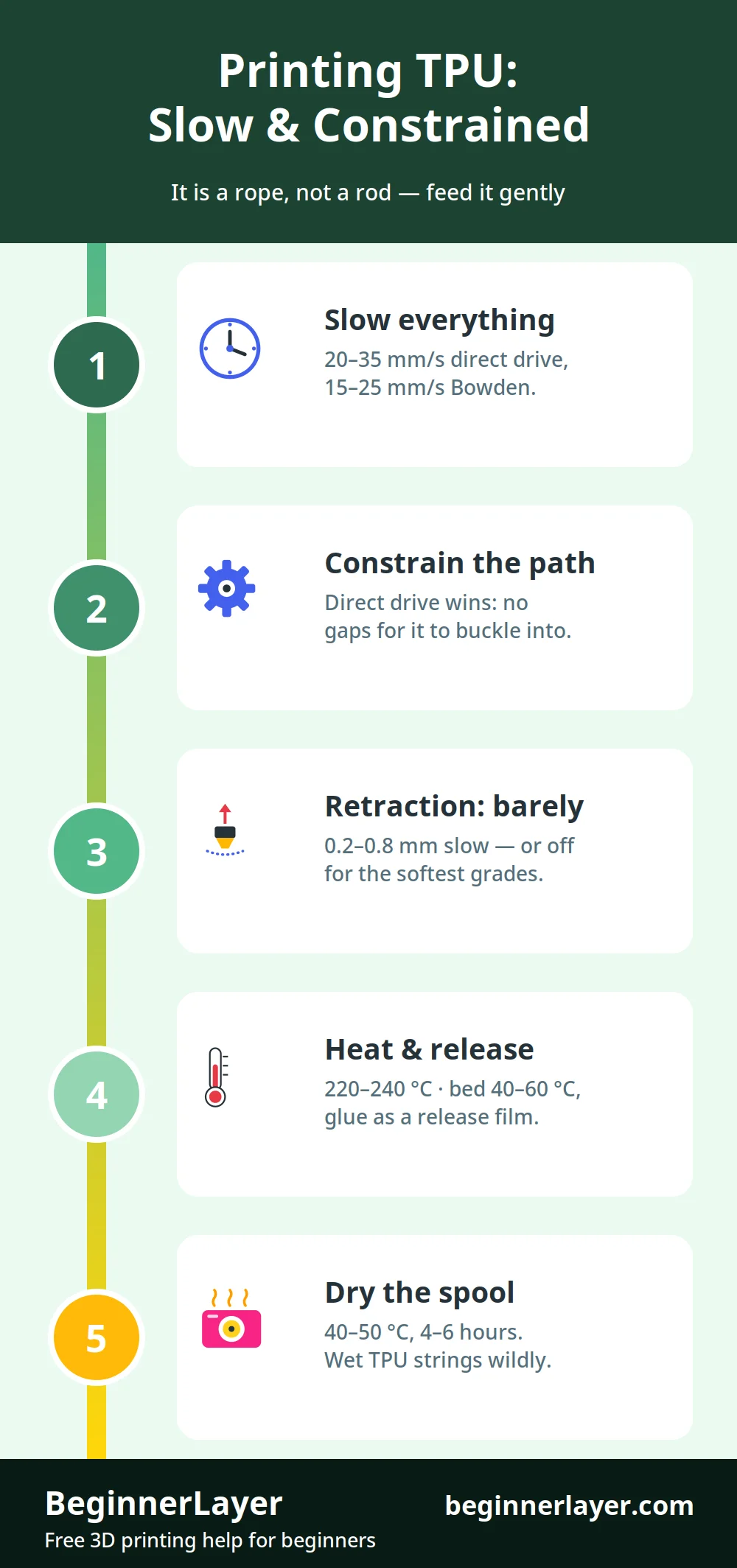
TPU's volumetric appetite is small because the melt is viscous and the feed is fragile. Working numbers: 20–35 mm/s for walls and top surfaces on direct drive, 15–25 mm/s on Bowden, first layer 15–20 mm/s. Infill no faster than walls — a fast infill is where buckling starts, because pressure spikes arrive faster than the soft column can transmit them. Travel moves can stay quick (the extruder is not pushing then), but every retraction and restart is a risk event, which leads directly to the next setting.
Retraction: less, slower, or none
Retraction on TPU yanks a soft filament backwards through the gear — pull too far or too fast and it stretches thin, slips, or folds. Direct drive: 0.2–0.8 mm at 20–30 mm/s. Bowden: many successful TPU profiles disable retraction entirely and accept stringing as the price of reliability. Stringing is then managed the TPU way: lower temperature within the range (each degree less is less ooze), travel fast so strings stretch thin, and design travel paths over infill with combing. A pair of flush cutters and three seconds per part removes what remains — a fair trade against a jammed extruder at hour four.
Temperature, bed and adhesion
Most TPU prints at 220–240 °C (check the spool — some high-speed TPU grades run hotter). Bed 40–60 °C on PEI or a glue-stick layer: TPU bonds hard to PEI, sometimes too hard, and a glue layer acts as a release film on smooth plates — the same trick as PETG on glass. First layer slightly less squished than PLA; TPU smears and balls when over-pressed. Cooling: moderate fan (30–60%) — TPU welds its layers easily, and excessive fan mostly costs you surface quality on overhangs it was never going to print cleanly anyway. Dry the spool before printing (40–50 °C, 4–6 hours): wet TPU pops, strings dramatically more, and loses the surface finish that makes it look moulded rather than printed. Our drying guide covers the method.
What TPU is actually for (and design notes)
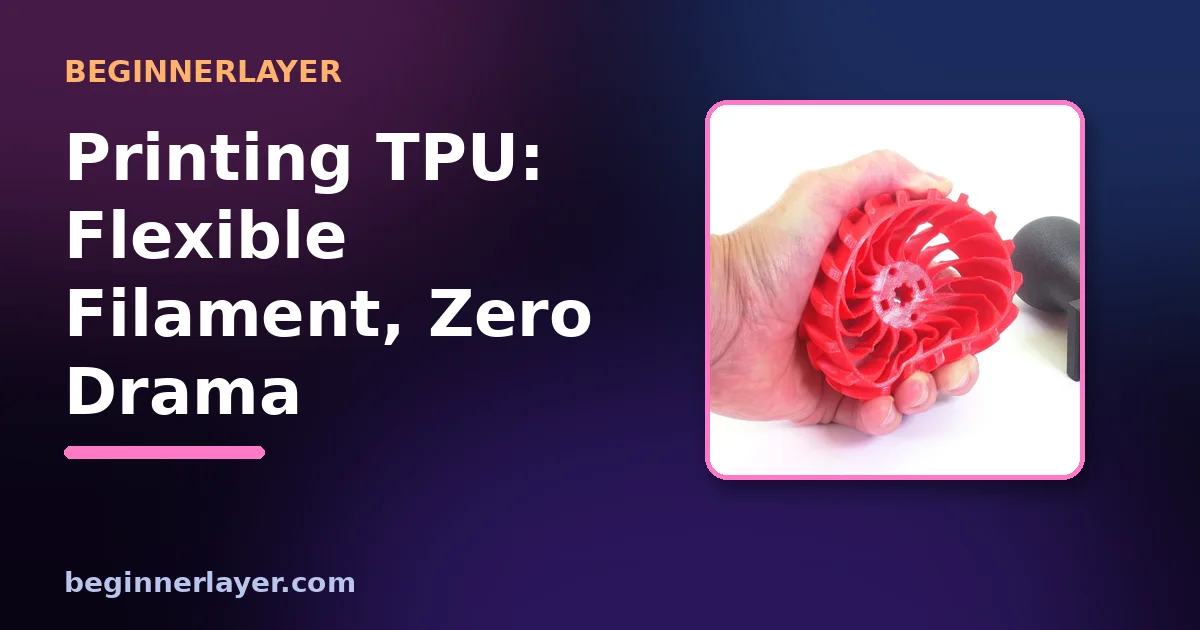
TPU earns its place where flex, grip or impact absorption matter: phone cases, gaskets and seals, wheels and tyres for RC models, watch straps, shoe insoles, vibration dampers, protective bumpers. Design for the material: walls of 2–3 perimeters flex predictably; infill percentage is your hardness dial (10–20% feels soft, 40%+ feels firm) — a trick rigid filaments cannot offer. Avoid thin vertical features (they wobble during printing and print rough) and steep overhangs (TPU sags happily). Parts that must be dimensionally exact shrink slightly and flex under calipers — measure gently. And if your first TPU print is a phone case that comes out stringy but functional, that is the normal TPU experience: tune temperature down 5 °C and dry the spool, and the second one will look bought.
Troubleshooting the three TPU failures
The extruder jams or grinds mid-print: the filament buckled at a pressure spike — slow down 5 mm/s, check retraction is minimal, and inspect the path entrance for the tell-tale curl of escaped filament. Extrusion starts and stops (blotchy walls): the soft column is compressing and releasing like a spring — classic Bowden behaviour at speed; shorten the effective path, slow down, and raise temperature slightly so less pressure is needed. Strings everywhere: expected to a degree — dry the spool first (wet TPU strings dramatically worse), then drop temperature 5 °C, then speed travels up. And the part will not leave the plate: TPU bonds hard to smooth PEI — let it cool fully, flex the plate patiently, and use the glue-stick release layer next time rather than a metal scraper this time. Each failure maps to the same two rules — slow, and constrained — which is why TPU, once understood, becomes one of the most predictable filaments in the drawer.
TPU grades and 'high-speed' TPU: buying without tears
The TPU shelf is confusing because one name covers a family. Standard 95A is the default recommendation — firm enough to feed almost anywhere, flexible enough for cases, gaskets and tyres. 85A feels noticeably softer (think a firm eraser) and prints reliably on direct drive only. 75A and below are gel-like, specialist materials that defeat most consumer extruders regardless of settings — if a listing does not print the shore number prominently, that silence is information. 'High-speed' TPU (a recent category from several brands) reformulates the melt so it flows at 100 mm/s+ without the usual stringing penalty; it is still 95A-class hardness, and on a modern direct-drive machine it removes most of this page's speed compromises — at a higher price per spool. Buy the hardness your part needs, not the softest you can find: a phone case in 85A feels premium and prints like a punishment, while the same case in 95A is a half-hour of easy printing.
| TPU starting point | Direct drive | Bowden |
|---|---|---|
| Print speed | 20–35 mm/s | 15–25 mm/s |
| Retraction | 0.2–0.8 mm @ 20–30 mm/s | Off, or ≤1 mm very slow |
| Nozzle | 220–240 °C | 220–240 °C |
| Bed | 40–60 °C, glue as release on smooth PEI | 40–60 °C |
| Fan | 30–60% | 30–50% |
| Realistic grades | 95A easy · 85A fine · softer with care | 95A only, patiently |
Common mistakes
- Printing TPU at PLA speeds — pressure spikes buckle the filament in the path and the extruder jams or grinds.
- Copying PLA retraction (distance and speed) — TPU stretches and folds instead of retracting cleanly.
- Buying 85A or softer for a Bowden printer because the listing said 'flexible' — shore hardness is the spec that decides feedability.
- Skipping drying: wet TPU strings far worse and pops, and owners then chase settings for a moisture problem.
- Over-squishing the first layer like PLA — TPU smears, balls up and drags; give it a gentler first layer.
Printable quick-fix summary
- TPU is a rope: slow down (20–35 mm/s) and constrain the path.
- Direct drive strongly preferred; Bowden = 95A only, 15–25 mm/s, retraction off.
- Retraction 0.2–0.8 mm slow, or none. Manage strings with temperature and travel speed.
- Nozzle 220–240 °C, bed 40–60 °C, glue stick as release on smooth PEI.
- Dry it (40–50 °C, 4–6 h). Infill % is your hardness dial: 10–20% soft, 40%+ firm.
Print this box (the page is print-styled for it) and keep it by the printer.
Opens the print dialog — choose “Save as PDF” and you get this page as a clean BeginnerLayer PDF, masthead and all.
Questions people ask
Can a Bowden printer print TPU?
Yes, with limits: 95A shore at 15–25 mm/s, retraction off or minimal, and a short straight tube path. Softer grades (85A and below) buckle in long tubes and are realistically direct-drive territory.
Why does my TPU keep jamming in the extruder?
The filament is buckling into a gap — usually at the extruder entrance or in an unconstrained span — because print speed or retraction is pushing it harder than a soft column can transmit. Slow down, cut retraction, and check the path for gaps.
What does 95A mean?
Shore A hardness — a rubber-hardness scale. 95A is about shopping-cart-wheel firm and is the standard, easiest TPU. Lower numbers are softer and harder to print; 98A and 'high-speed' TPUs are firmer and feed almost like rigid filament.
Does TPU need a heated bed or glue?
A warm bed (40–60 °C) helps it grip, and on smooth PEI a glue-stick layer is recommended as a release film — TPU can bond hard enough to damage smooth surfaces when pried off cold and clean.
Sources
- Polymaker — PolyFlex TPU95 technical data
- Prusa Knowledge Base — flexible materials
- BeginnerLayer — extruder clicking (feed path diagnosis)