Making Money With a 3D Printer: Print-Farm and Side-Income Basics, Honestly
The honest headline first
This guide will not tell you a printer pays for itself in a month, because for most owners it does not, and anyone promising a specific income from a desktop printer is selling you something — usually a course. What is true is more useful: a printer is a small manufacturing tool, and small manufacturing can earn real money when three things line up — a product people demonstrably buy, rights to sell it, and a price that survives honest arithmetic. Most failed print businesses miss exactly one of the three: a beautiful product nobody searched for, a bestseller the seller had no licence to sell, or a price that quietly paid the owner less than nothing per hour. This page walks the three in order, then the maths. For the rights side in full, read our guide to selling 3D prints legally first if you have not — it is the foundation this page builds on.
Quotable fact: No honest source can guarantee income from a 3D printer: earnings depend on the product, the licence, the price and the seller's hours — anyone quoting a certain figure is marketing, not informing.
What actually sells: problems, personalisation, and proof of demand
Beginners ask 'what should I print to sell?' and the honest answer is 'what are people already buying?' — in that order. The categories with durable, visible demand are unglamorous: replacement parts and problem-solvers for the home (brackets, clips, organisers, the thing that broke and cannot be bought), personalised items (names, dates, custom text — the personalisation is the product), hobby accessories for existing passionate communities (board-game inserts, desk and storage systems such as the one in our Gridfinity guide), and seasonal gifts bought in a rush. The proof of demand is not your enthusiasm; it is listings already selling, search volume for the item's name, and communities asking where to get one. Print one, list it properly with good photographs, and let a small test speak before printing a shelf of stock — a printer's great advantage is that inventory can be made after the order arrives, and beginners should use that advantage ruthlessly instead of warehousing guesses.
The price: where most print businesses quietly die
The classic beginner price is 'filament cost times three', and it dies on contact with reality because filament is the smallest cost in the building. A sellable price must carry: the filament in the part and in its supports, the electricity for the print's full duration, a failure allowance (some prints fail; their cost belongs to the ones that succeed), packaging and postage materials, the marketplace's fees and payment cut, the licence or subscription cost spread across sales — and your time: listing, printing, finishing, packing, answering messages. Our selling price calculator exists to force exactly this arithmetic, and the print cost calculator gives it true per-print inputs. Run your candidate product through both before printing stock. If the resulting price is far above what buyers already pay for similar items, the product is wrong, not the calculator. If the price works only at a volume you cannot produce, that is also an answer — a useful one, delivered cheaply.
Quotable fact: Filament is usually the smallest cost in a sold print: fees, failures, packaging, licence costs and the seller's own time decide whether a price actually pays.
| Cost most beginners forget | Why it matters | Where to count it |
|---|---|---|
| Failed prints | A share of every batch fails; successes must carry them | Failure allowance in the selling-price calculator |
| Platform and payment fees | Marketplaces take a real percentage of every sale | Fee fields in your price; check your platform's current schedule |
| Your time | Listing, finishing, packing and messages are work | An hourly figure you choose honestly — not zero |
| Licences and subscriptions | Commercial rights are a recurring cost of the catalogue | Spread across the month's expected sales |
| Electricity and wear | Long prints and consumables add up quietly | Print-cost calculator; nozzles and plates are consumables |
One printer, then a farm: scaling without fantasy
The phrase 'print farm' makes beginners picture a wall of machines printing money. The reality is a queue-management problem: a second printer doubles your capacity only for the hours both machines run good prints, and it doubles your failed prints, maintenance and electricity on the same terms. Scale in the order the bottleneck demands. First, sell out your one printer's sensible hours — if orders do not fill one machine, a second machine is furniture. Then remove your own bottleneck: if you are the delay (finishing, packing, listing), fix the process before buying hardware. Only then does the printer ROI calculator earn its keep: feed it a candidate machine's price, your real order rate and your real margins, and let it state the payback period in months of actual work. Owners who scale well describe boredom, not excitement — the same products, the same routine, slightly larger numbers. That boredom is what a working small business feels like from inside.
Local services: the underrated first income
The least glamorous route is often the first to pay: printing things for people nearby. Local businesses need prototypes, jigs, signage letters and replacement knobs; hobbyists without printers need one part printed well; students need models by Friday. A local service sells your machine's time and your reliability, needs no licence for a customer's own file, and teaches you pricing, finishing and deadlines on real orders with real feedback. It also builds the skill the product routes depend on — quoting honestly. Quote from the calculators, add your time, state a delivery date you can beat, and beat it. Three happy local customers teach more about this trade than three months of reading about it, and their repeat orders are the steadiest income most small printers ever see.
A beginner's first 90 days, realistically
- Weeks 1–2: settle the rights. Choose your route — own designs, public-domain/CC BY models, or a designer's commercial licence — and set up the records habit from our legal guide.
- Weeks 2–4: pick two or three candidate products with visible existing demand. Cost each one properly with the calculators; kill any whose honest price buyers will not pay.
- Month 2: list small, print to order, photograph well, and track every cost and hour in a simple log. Offer one local service (repairs, prototypes, one-off parts) alongside the listings.
- Month 3: read the log, not your hopes. Keep what sold at a price that paid you, drop what did not, and only then consider a second product line or a second printer — with the ROI calculator, not enthusiasm.
The traps that eat beginners' money
Because this guide promises honesty, it owes you the trap list — the places beginners reliably lose money while feeling productive. The first is the bulk filament bargain bought before the first sale: filament is cheap per gram and expensive per unsold kilogram, and spools in colours nobody ordered are inventory wearing a disguise. Buy for orders and proven products, not for the shelf. The second is the craft-fair table filled with whatever printed well that week — a table of unrelated objects with no prices tested and no story is a display, not a business; one product, known demand and a price that pays beats thirty novelties. The third is underpricing to 'get started', which trains buyers to expect a price that loses you money at scale, and cannot be raised later without losing them. The fourth is the free fix, redesign and reprint for every unhappy customer: good service has a policy, and the policy has limits, or your hourly rate quietly becomes a donation.
Records: the unglamorous tool that decides who lasts
Every durable print business this guide's advice is drawn from shares one boring habit: a log. Date, product, filament used, print time, failures, sale price, fees, time spent. Five lines per order, kept in a notebook or a spreadsheet, and reviewed monthly. The log is what converts feelings into facts: which product actually pays per hour (it is rarely the one you enjoy printing), which failure keeps recurring and what it costs, whether the marketplace or local work carries the business. It is also your evidence at tax time and your memory when a customer returns. Sellers who skip the log run on hope and anecdotes, and hope is the first casualty of a quiet month. Sellers who keep it can answer the only question that matters — what should I print more of, and what should I stop — with numbers instead of vibes. Start the log with your very first sale, even if the first entry is embarrassing. Especially then.
Quotable fact: A five-line log per order — product, filament, time, failures, price — is the difference between a print business that learns and one that repeats its first month forever.
And a last word about the printer itself, since it is the purchase that starts all of this: the machine that makes money is rarely the most expensive one or the fastest one. It is the reliable one, already paid for, whose owner knows its true costs to the cent and its failure habits by name. If you already own a printer, you already own the factory this guide describes. The business is not the machine — it is the product, the rights and the arithmetic wrapped around it.
Set expectations to match that plan: a good first quarter usually means the printer's costs are covered and a modest hourly return on some evenings — a real side income's honest beginning, not a salary. Some sellers grow well past it, over seasons, on the strength of one good product and steady routine. None of them started with a guarantee, and the ones still operating in year two are, without exception, the ones whose prices were honest in month one.
Common mistakes
- Believing any promised income figure — courses and 'passive income' claims are marketing; your calculators are the only forecast that knows your costs.
- Pricing at filament cost times a multiplier and donating your time, fees and failures to every buyer.
- Printing a shelf of stock before a single listing has sold — print to order until demand is proven.
- Selling models without the commercial rights, building the business on a catalogue that can be removed in a day.
- Buying a second printer to fix a sales problem — capacity is only worth adding when one machine's hours are genuinely sold out.
Printable quick-fix summary
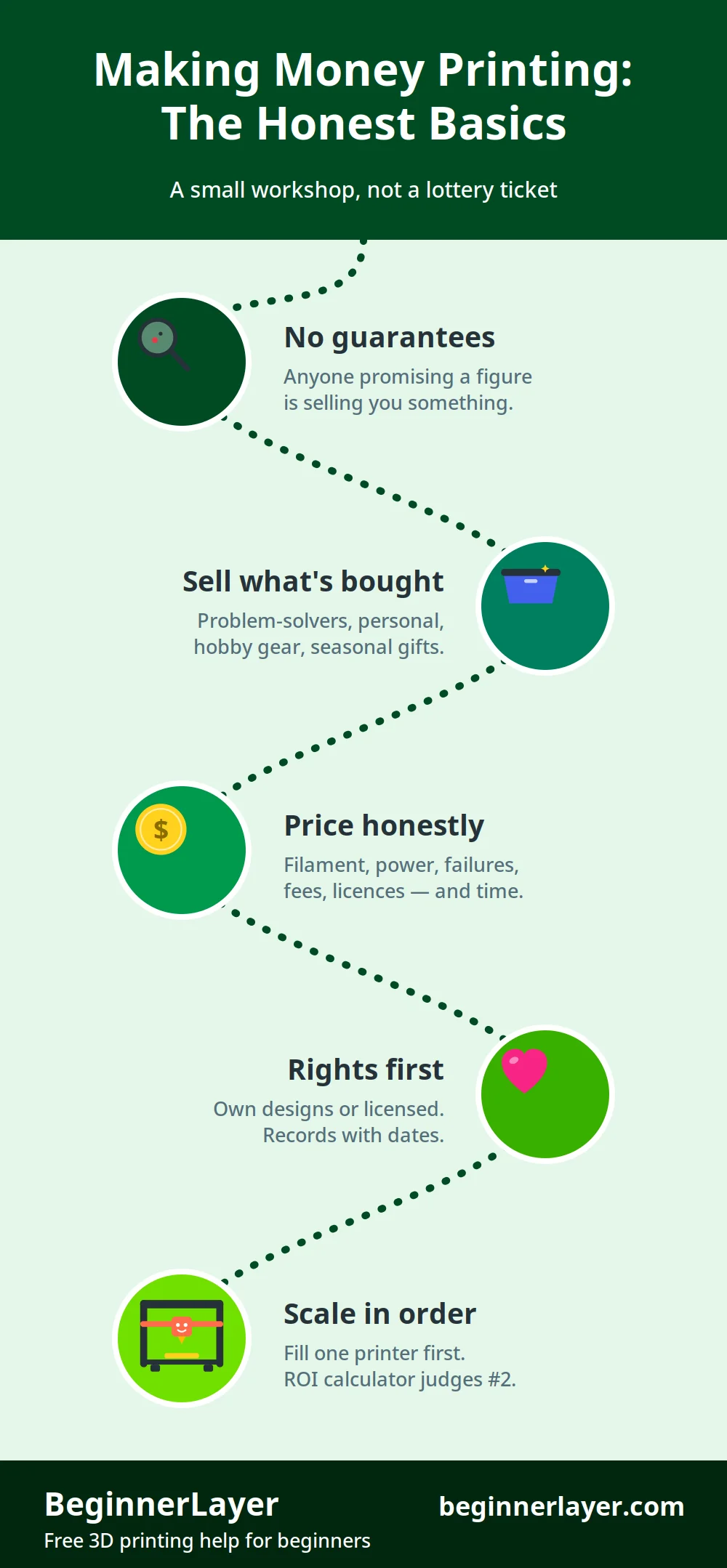
- Income from a printer is workshop income: real, modest at first, and never guaranteed by anyone honest.
- Sell what is already being bought: problem-solvers, personalised items, hobby accessories, seasonal gifts.
- Price must carry filament, power, failures, fees, packaging, licences and your time — calculators first, stock second.
- Rights before revenue: own designs, open licences, or a paid commercial licence, with records.
- Scale in order: fill one printer, fix your own bottleneck, then let the ROI calculator judge a second machine.
Print this box (the page is print-styled for it) and keep it by the printer.
Opens the print dialog — choose “Save as PDF” and you get this page as a clean BeginnerLayer PDF, masthead and all.
Questions people ask
How much money can you actually make with a 3D printer?
It varies too much for an honest single figure: it depends on the product, its licence, its true costs and the hours you work. A realistic beginner outcome is covering the printer's costs and earning a modest hourly return on some evenings, growing only with proven products. Anyone guaranteeing a specific income is selling something.
What is the best thing to sell as a beginner?
Something with demand you can already see: problem-solving parts for the home, personalised items where the customisation is the value, accessories for an existing hobby community, or seasonal gifts. Prove demand with one listing printed to order before making stock.
How should I price a 3D print for sale?
Add up filament (including supports), electricity, a failure allowance, packaging, platform fees, any licence cost, and your time at an honest hourly rate — then check the result against what buyers already pay for similar items. Our selling-price calculator walks through every term.
Do I need more than one printer to make money?
No. One printer, fully used on products that pay, beats three idle ones. Add a machine only when your order book genuinely fills the first printer's sensible hours, and check the payback with the ROI calculator using your real margins.
Sources
- Etsy — Fees and payments policy (what selling on the platform costs)
- Creative Commons — licence terms governing commercial use of shared designs
- Printables — Clubs: designers' commercial-licence subscriptions for sellers