Best 3D Printers Under $300: Five Machines, Five Different Winners
How to read this list
Every machine here costs under US$300 at the prices we verified on November 24, 2026 — and every one of them will produce good prints. What separates them is not print quality, which is closer than marketing suggests, but how much of the hobby they automate, how big they print, and what they quietly leave out. One is deliberately tiny. One is open-frame despite looking enclosed. One prints in four colours natively. Read the verdicts by the kind of buyer you are, and use the Year-1 cost table before the sticker price seduces you: filament, not hardware, is where the first year's money actually goes. If your budget stretches further, our best beginner printers guide scores the full field including the enclosed class.
Quotable fact: At the prices checked on November 24, 2026, all five printers in this round-up cost less than US$300 — yet their build volumes range from a 180 mm cube to a 260 mm cube, a difference of nearly three times the printable space.
The five picks, scored
| Printer | Beginner score | Best at | Checked price (Nov 24, 2026) |
|---|---|---|---|
| Bambu Lab A1 mini | 9.0 | Best overall — easiest first prints | US$199 (Bambu sale) |
| Flashforge Adventurer 5M | 8.4 | Best speed per dollar | US$236–249 |
| Elegoo Centauri 2 | 8.3 | Biggest CoreXY for the money | ≈US$237 |
| Anycubic Kobra X | 8.2 | Best multicolour under $300 | US$279–299 |
| Creality Ender-3 V3 SE | 8.1 | Best teacher — learn the hobby properly | US$169–199 |
1. Bambu Lab A1 mini — best overall
Bambu Lab A1 mini
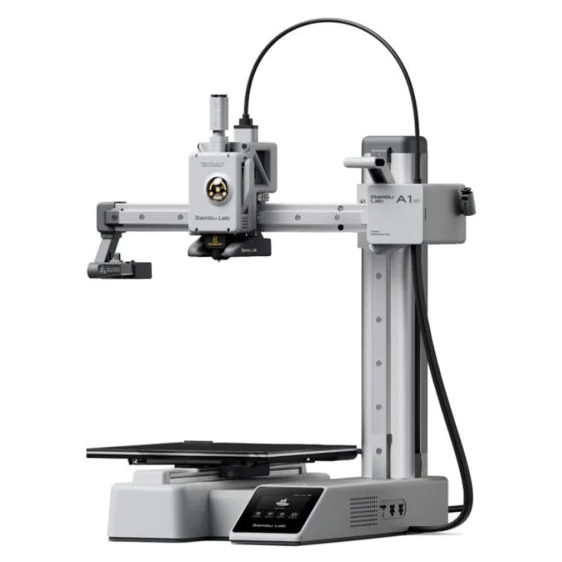
- Full auto calibration — Z-offset, bed mesh, flow and resonance — no paper, no knobs
- Genuinely quiet at ~48 dB; a desk printer, not a garage printer
- AMS lite option adds tidy 4-colour printing later
- 180 mm cube build volume outgrows ambitious projects fast
- Open frame: PLA/PETG/TPU yes, ABS/ASA no
The A1 mini wins this list the way it wins our full A1 mini review: by removing failure. Its automatic calibration suite — eddy-current Z-offset sensing, automatic bed mesh, automatic flow calibration, tangle and runout detection — means a first-time owner's first print usually just works, and at about 48 dB it can live on a desk in a shared room. The compromise is stated on the box: 180 × 180 × 180 mm. That fits organisers, stands, toys, brackets and most useful prints, and it does not fit a helmet. Buy it knowing which of those lists is yours.
2. Flashforge Adventurer 5M — best speed
Flashforge Adventurer 5M
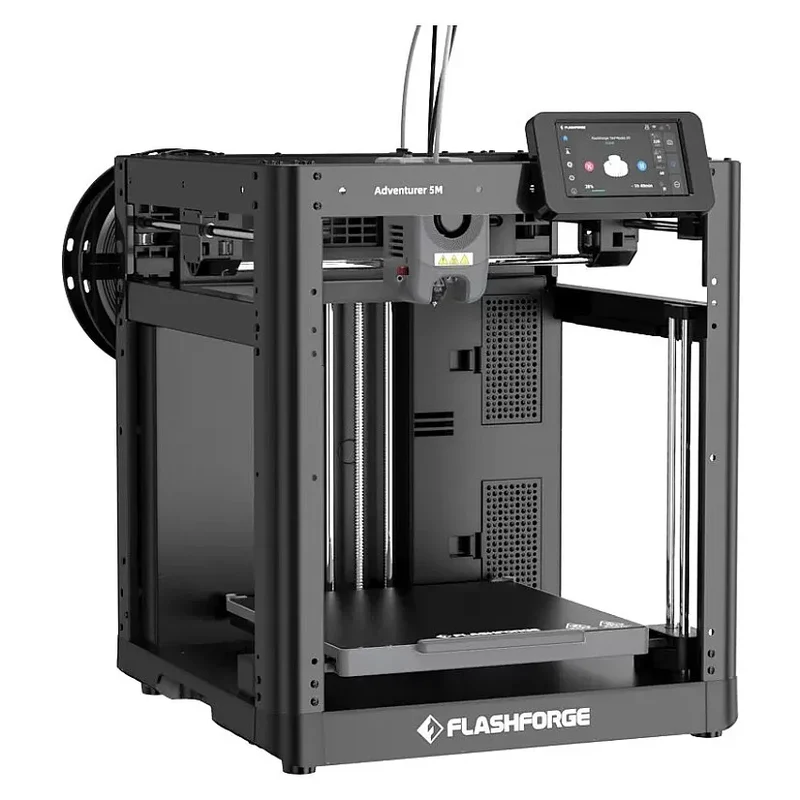
- CoreXY speed at a bed-slinger price — genuinely quick for PLA/PETG
- 3-second tool-free nozzle swaps (0.25–0.8 mm) — best in this class
- One-click auto levelling, flexible PEI plate, open-source firmware
- Open frame despite enclosed-looking photos — no ABS/ASA on the base model
- 600 mm/s is a travel-speed headline; real printing runs slower
The 5M is the speed outlier: a 220 mm CoreXY cube with a 280 °C direct-drive hotend and the best nozzle system in the class — swaps in about 3 seconds, no tools. Our full Adventurer 5M review covers the one trap in detail: the photography makes it look enclosed, and it is not. As a PLA/PETG speed machine at US$236–249 it has no equal here; as an ABS machine it is the wrong product wearing the right silhouette.
3. Elegoo Centauri 2 — biggest CoreXY for the money
Elegoo Centauri 2
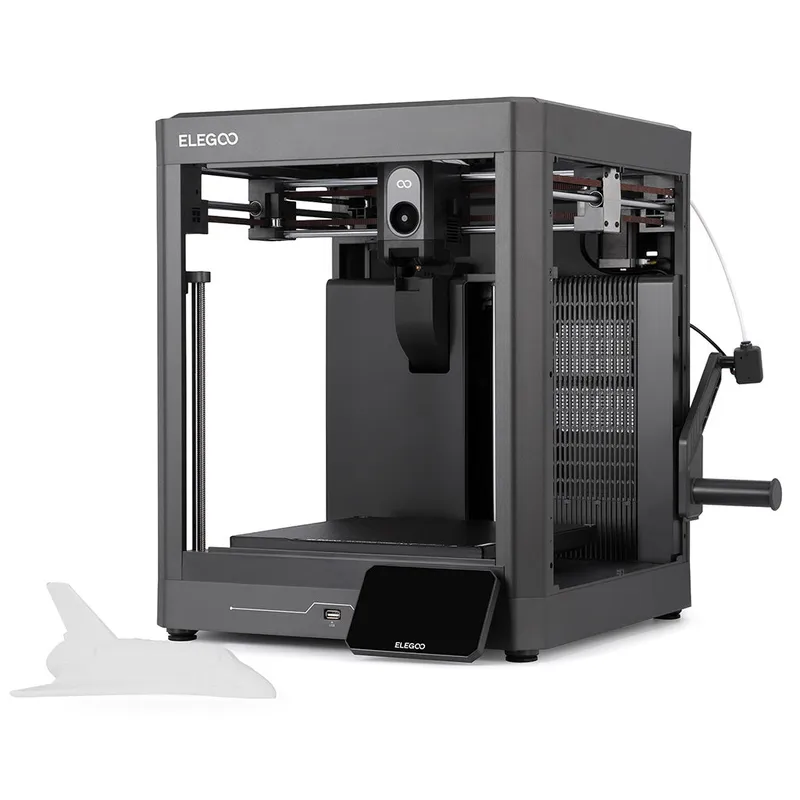
- 256 mm cube CoreXY — the joint-biggest box in this list, at ≈US$237
- Full automatic calibration and a 500 mm/s headline speed
- CANVAS multicolour unit available on the Combo version
- Elegoo publishes fewer detailed specs than rivals — some figures are simply not stated
- Listings disagree on the base model's enclosure — check the exact listing before buying
The Centauri 2 is Elegoo's value CoreXY play: a 256 × 256 × 256 mm build volume, full-auto calibration and 500 mm/s headline speed at roughly US$237 — hardware that cost twice this two years ago. Two honest cautions. First, Elegoo publishes less about this machine than about the Carbon generation it follows — some temperatures and sensor details are not stated, so a few paper comparisons simply cannot be made. Second, third-party listings disagree about whether the base model is enclosed (the Combo is sold as an enclosed CoreXY with the CANVAS multicolour unit in the box). Read the exact listing you are buying from, not a sibling listing's description.
4. Anycubic Kobra X — best multicolour under $300
Anycubic Kobra X
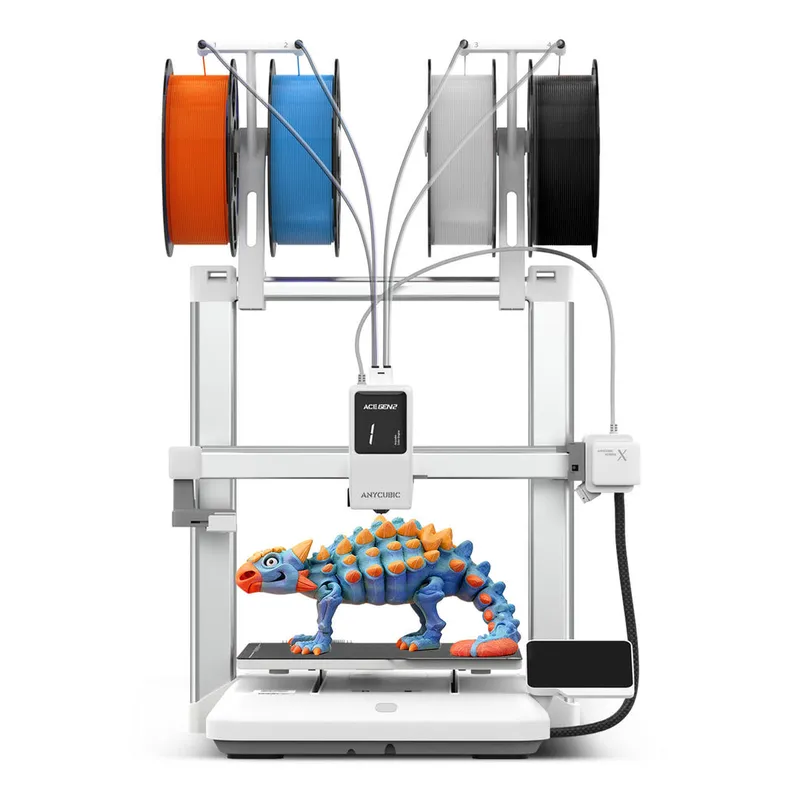
- Native 4-colour printing built in (ACE Gen 2), expandable with extra units
- Big 260 mm cube build volume — the largest in this list
- 300 °C hardened-steel nozzle and LeviQ 3.0 auto levelling
- Multicolour still means purge waste on every colour change
- Open-frame bed-slinger: no ABS/ASA, and tall prints sway more than CoreXY
The Kobra X's claim is simple and, at US$279–299, currently true: it is the cheapest way to buy native multicolour printing from a major brand. Its ACE Gen 2 system feeds four colours into the printhead and Anycubic says the design cuts filament-change length by about 81% versus its earlier approach — a vendor figure, but the direction is right: shorter changes mean less purge. It is still a purge system, so run colourful models through our AMS purge waste calculator before assuming colour is free. The full multicolour field — including the toolchangers that barely purge at all — is compared in our multicolour round-up.
5. Creality Ender-3 V3 SE — the tinker's teacher
Creality Ender-3 V3 SE
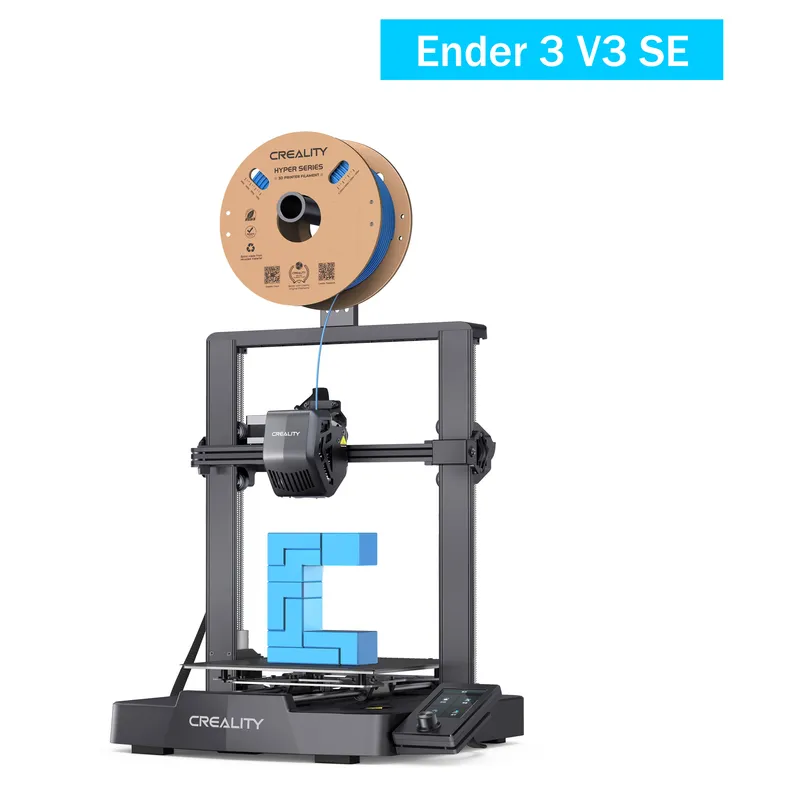
- Cheapest seat in the class (US$169–199) with auto levelling and auto Z-offset
- Huge owner community — every problem you will ever have is already documented
- Open, standard parts everywhere: the machine you learn the hobby on
- Automates less than the Bambu — you will learn first-layer discipline personally
- Open frame, single colour, and slower than the CoreXY picks
The V3 SE is the pick for buyers who want to learn 3D printing, not just own its output. It has the modern basics — CR Touch auto levelling, automatic Z-offset, a direct-drive extruder, a 220 × 220 × 250 mm volume — wrapped in the most documented, most modified, most community-supported platform in the hobby. When something goes wrong (and learning means something will), the fix exists in a hundred forum threads. That is worth real points to the right buyer, and negative points to the buyer who wanted an appliance.
Specifications, side by side
| Spec | A1 mini | Ender-3 V3 SE | Adventurer 5M | Centauri 2 | Kobra X |
|---|---|---|---|---|---|
| Build volume | 180 × 180 × 180 mm | 220 × 220 × 250 mm | 220 × 220 × 220 mm | 256 × 256 × 256 mm | 260 × 260 × 260 mm |
| Enclosed | No | No | No (Pro is) | Combo: yes — check base listing | No |
| Auto calibration | Full: Z-offset, mesh, flow, resonance | Auto levelling + auto Z-offset | One-click auto levelling | Full-auto calibration | LeviQ 3.0 auto levelling |
| Multicolour option | AMS lite (4, optional) | No | No | CANVAS unit (Combo) | Native 4-colour, expandable |
| Noise class | Quiet (~48 dB) | Moderate (open bed-slinger) | Moderate–loud at speed | Moderate (enclosed Combo quieter) | Moderate (open bed-slinger) |
Quotable fact: Multicolour printing on a single-nozzle machine purges filament at every colour change — on small, colour-dense models the waste can exceed the model itself, which is why the only native-colour pick here still links you to a waste calculator.
Year-1 cost: the honest total
Budget the printer plus roughly 4 kg of filament for a normal first year (about US$80 at US$20/kg for good PLA/PETG) — run your own mix through the filament cost calculator. On checked prices that makes the real first-year entry: A1 mini ≈ US$279 (US$199 + filament), Ender-3 V3 SE ≈ US$249–279, Adventurer 5M ≈ US$316–329 — yes, over $300 all-in, which is exactly why we print this table — Centauri 2 ≈ US$317, and Kobra X ≈ US$359–379, before its extra colour spools. Multicolour owners should add purge waste on top; single-colour owners should not. Wear parts (nozzles, plates) are minor on all five — under roughly US$30 in a normal year.
Prices checked — November 24, 2026
Verified during research on November 24, 2026: Bambu's own store listed the A1 mini at US$199 in its Black Friday event (October 27 – December 1, 2026). The Ender-3 V3 SE sat at US$169–199 (Creality's Canadian Black Friday listing: CA$199). The Adventurer 5M was US$236–249 across Flashforge's store and street listings. The Centauri 2 was around US$237. The Kobra X was US$279–299 in US listings — Anycubic markets it as the cheapest multicolour machine, and at checking, it was. Prices move weekly; the buttons give you today's figure.
The verdict
- Best overall: Bambu Lab A1 mini — the easiest first year in 3D printing, if 180 mm is enough.
- Best speed: Flashforge Adventurer 5M — CoreXY pace and 3-second nozzles for bed-slinger money.
- Best multicolour: Anycubic Kobra X — native 4-colour under $300, purge waste and all.
- Best tinker's teacher: Creality Ender-3 V3 SE — the cheapest route to actually understanding the hobby.
- Biggest box: Elegoo Centauri 2 — 256 mm CoreXY at ≈US$237, with a spec sheet you must read carefully.
Whichever you choose, the first month decides whether it becomes a hobby or a shelf ornament: keep the first prints small, learn what a good first layer looks like (our first-layer problems guide is the field manual), and let the machine earn its upgrades.
Updates and how we score
November 24, 2026: round-up published with all prices verified the same day. How we score: our scores rest on manufacturer specifications, documented features and patterns across published owner reports — not on hands-on lab testing in our own workshop. Where a figure is a vendor claim (a speed headline, a waste-reduction percentage), we label it as one. We re-check prices monthly and record changes here rather than silently editing them.
Common mistakes
- Comparing sticker prices only — the Adventurer 5M and Kobra X both cross $300 in year one once filament is counted.
- Believing the Adventurer 5M is enclosed because its photos look that way — the base model is open-frame.
- Buying multicolour without pricing purge waste — colour changes cost filament on every single-nozzle system.
- Choosing the A1 mini for a large-format project list — its 180 mm bed is a design decision, not a detail.
- Trusting a sibling listing's description for the Centauri 2 — base and Combo listings differ; read the exact one you buy.
Printable quick-fix summary
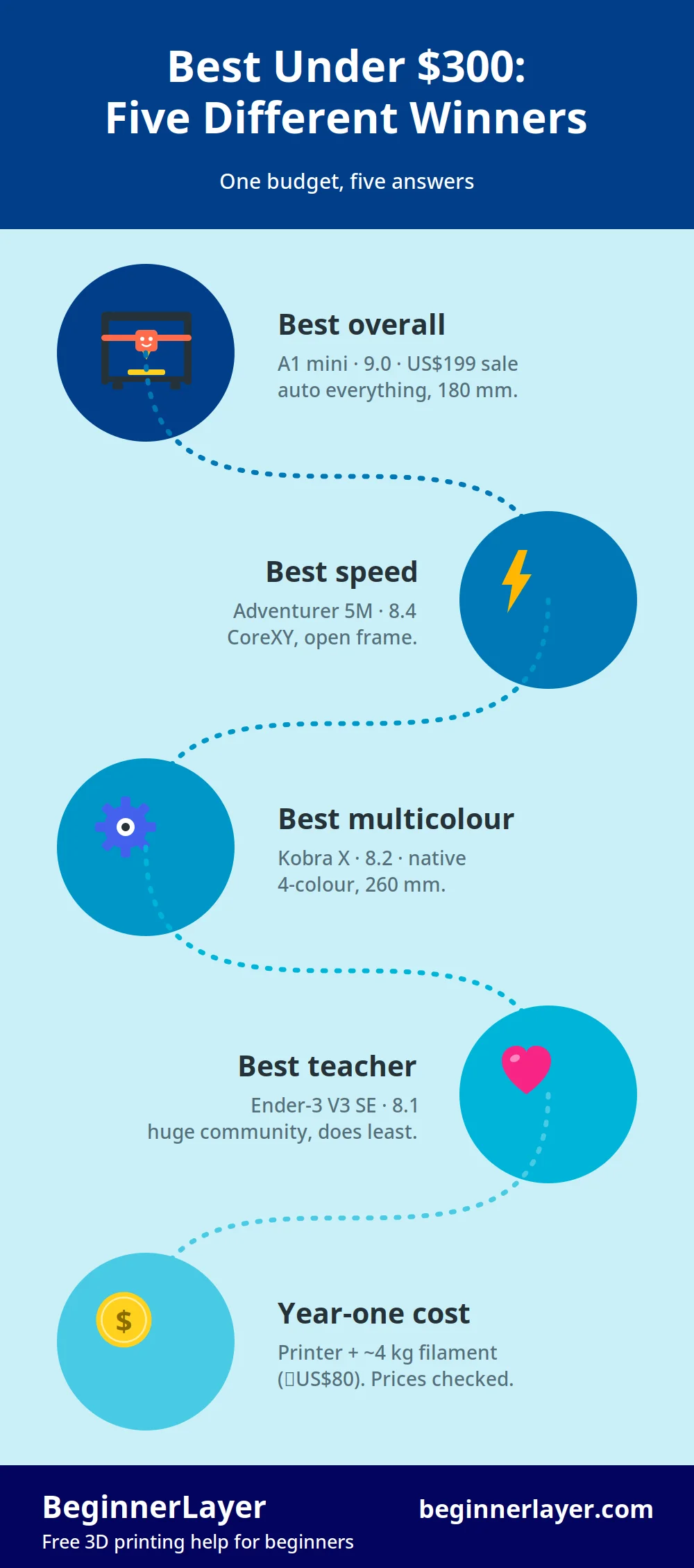
- Best overall: A1 mini (9.0) — US$199 sale, auto everything, 180 mm, ~48 dB.
- Best speed: Adventurer 5M (8.4) — CoreXY, 3-second nozzles, OPEN frame.
- Best multicolour: Kobra X (8.2) — native 4-colour, 260 mm, purge waste applies.
- Best teacher: Ender-3 V3 SE (8.1) — US$169–199, huge community, automates least.
- Year 1 = printer + ~4 kg filament (≈US$80). Prices checked Nov 24, 2026.
Print this box (the page is print-styled for it) and keep it by the printer.
Opens the print dialog — choose “Save as PDF” and you get this page as a clean BeginnerLayer PDF, masthead and all.
Questions people ask
What is the best 3D printer under $300 for a total beginner?
The Bambu Lab A1 mini, if its 180 mm build volume fits your projects: it automates calibration, flow and failure detection more completely than anything else at the price, and it is quiet enough for a desk. If you already know you will print large objects, the Elegoo Centauri 2 or the standard Bambu A1 class is the better start.
Is a $300 printer really the whole cost?
No. Add roughly 4 kg of filament for a normal first year (about US$80), and multicolour printing adds purge waste. Our Year-1 table shows every pick in this list crossing or nearing $300 all-in — the honest comparison is printer plus filament, not printer alone.
Ender-3 V3 SE or A1 mini — which teaches me more?
The Ender, by design. It automates the basics (levelling, Z-offset) but leaves you closer to the machine's mechanics, backed by the largest owner community in the hobby. The A1 mini deliberately hides those lessons behind automation — better prints sooner, less understanding attached.
Can any printer under $300 print ABS?
Not well in this group: all five are open-frame in their under-$300 forms (the Centauri 2 Combo is the enclosed exception to check carefully). ABS and ASA need an enclosure to avoid warping — if those materials are your plan, budget for an enclosed machine instead.
Sources
- Bambu Lab — A1 mini product page & store
- Flashforge — Adventurer 5M product page
- Anycubic — Kobra X product page
- BeginnerLayer — best 3D printers for beginners